Tuesday, May 4, 2010

Saskatchewan IT Summit 2010 - Keynote Will Richardson - A Web of Connections - Why the Read/Write Web Changes Everything

Will Richardson
http://weblogg-ed.com/
http://willrichardson.wikispaces.com/

The students today are grown up in a world where you can connect with anyone, anywhere in the world. This is a big shift from where we were when we were being trained as educators.

Example of children in South Carolina who helped a blind boy be able to beat the game Zelda.
Demonstrated how your notes on a Kindle are all logged onto your own Kindle page. (I own a kindle myself and this is one of my favourite parts of owning a Kindle.) Definitely a game changer!

What kinds of technologies are game changers? The future of education is not dependent on changing learning environments. (Knowledge Works Foundation). The conversation online is making us smarter because of our ability to share and discuss information.

The understanding of the power of social networking and its possibilities is important to the leaders of today or tomorrow. (Examples of YouTube (Justin Beiber) and Surfthechannel (copyright issues))
Questions about copyright and who owns what information.
Businesses (Allstate & Twitter), politics (Obama election) and media (CNN & newspapers) have shifted to incorporate social media. Education has not responded to the change in the world and the impact of social media.

Students are not waiting for us to change. They are already using them.
  • Friend ways - texting, facebook, twitter, etc. (They don't need our help with this - they figure it out on their own and with the help of their friends)
  • Interest ways - forming groups to discuss topics of interest (need our help to make good connections and understand the information we are receiving through these groups.)
  • Private vs Public - photos and information online - control over what you post but not over what others post (we need to teach how to manage your online personal in a safe, effective and ethical ways.)
  • Clustermaps on your school blog: What do your dots (map) look like? What are the quality of your dots?
  • Fan fiction: Write a story and post them online - write your own stories and put them online. You can form a group with people who love the same things you do.
  • Google searched - students need help to make sure that when they are being googled by future colleges, mates and employers that they are well represented.
  • Information is everywhere: MIT Open course online, Khan Academy
  • Self directed learning - you need to make yourself learn something on your own and make sure you students have the same abilities: Lynda.com (online training videos)
  • Wikipedia - teach wikipedia (example of sources and checking facts) participatory event instead of just consuming information.
  • Diigo: Add comments and analysis of articles online through your PLC. (example of an article in Science Daily) - promotes critical thinking and analysis.
  •  Google Fast Flip, Google Reader, Evernote, GoodGuide: transparency is the ability to educate people we've never ever met.
  • Teach how to read and write using hyperlinks - different way of reading and writing that is totally different than reading a book. This is a skill we need to teach.
  • We need to develop problem solvers using inquiry skills to solve the world's problem now and in the future.
  • Radio Willow (Willowdale Elementary School): Example of first graders podcasting about what they learn in their classroom.
We can't be doing things the same way we have always been doing them. We need to model these new practices by being participants. It is not easy but we need to change to ensure our students are learning what they need to learn for the future. It is an amazing time to be a learning right now. Take advantage of this opportunity to be a learner yourself.

 How are we changing ourselves so that we can guide our students into the future?

    Monday, May 3, 2010

    Saskatchewan IT Summit 2010 - Dean Shareski - The Ten Worst Practices in Educational Technology

    Dean Shareski's Blog: http://ideasandthoughts.org/

    Intro: Curse of the default homepage (default settings on the computer) - Why don't ask what we can do with something? What could we do differently?
    It's not what the software does. It's what the user does with them.(Hugh MacLeod)
    1.  Interactive Whiteboards: Easy? Transformative? Should easy always be the goal of technology? What are some of the ways we can use IWBs to transform learning?
    2. Power Point: Why do we see so many bad Power Points? What strategies have been successful in eliminating bad PPTs? Our table says that images are most powerful. Teaching presentation skills are key and having students talk without reading a screen. The point of a presentation is that you have to be there to give a presentation, telling a story - if you don't need to be there to read out the presentation, then it is a bad use of power point.
    3. Digital Cameras: What are your favourite uses for digital cameras? How to go beyond printing out photos for display in the classroom? Our table says: Cameras can be used for documentation of student learning with dialogue to go with it. Reflective learning such as a Voice Thread. Creation: iMovie of Geometry in my environment
    4. Walled Gardens: Access Denied (protected websites) - Good discussion about security settings and teaching students how to use the web safely.
    5. Computer Class: Do we need them? Access poses a challenge but the need for formal classes (keyboarding, etc.) are not considered necessary.
    6. Cell phones: How are we using cellphones in class? Computer power sitting in their pockets that could be used for good. 
    7. Keyboarding: Should it be taught? In the world of texting, etc. Do we want to spend our time with computers teaching keyboarding when we could be doing something more creative?
    8. Games: Drill and Kill exercises have a place in Education? Check out Sylvia Martinez for more info on useful games.
    9. Searching: How to do proper searching to find information properly and the info that we need to find
    10. Viewer's Choice: Word processing and excessive printing
    Great Session Dean! Thank you!

    Saskatchewan IT Summit - Bernajean Porter - Turning Up the Heat - Learning, Thinking and Communicating in a Digital Age

    http://coachingheat.wikispaces.com/ 

    Traditionally school was about being good consumers - "Tell me about..."

    Demonstrating Understanding
    Meaning Makers and Media Makers: Stop the go forth and make something using technology push and stop and ensure that there is a demonstration of understanding in the project. Compare and Contrast would be a higher level of thinking (demonstration) then a simple fact telling video.

    Heat:
    • Higher Order of Thinking: Rigor, Questionning.org, Types of Communication
    • Engaged Learners: Choices, Curiosity, Affinity, Student Centered (Owned or Driven)
    • Authenticity:Useful & Beneficial, Context, Collaborative, Real World Challenges (Drawing Conclusions)
    • Technology: Modes & Tools, Added-Value, Transforming Uses
     Used H.E.A.T.ing UP (TM) Student Performance Tasks for Transformational Learning Rubric to evaluate scenarios in groups.

    It's a process!

    Pre-Producation Phase:
    • Writing a narrative Script
    • Planning the Project
    • Organizing Project Folders
    Production Phase:
    • Making the Voiceover
    • Gathering and Preparing Media Resources
    Post Production Phase:
    • Putting it all together
    Distribution Phase:
    • Applause, Applause
     "If we knew what it was we were doing, it would not be called research, would it?"
    -Albert Einstein

    Digital Scoring Guide for scoring digital products: Data base to make up rubrics for digital projects: http://www.digitales.us/evaluating/scoring_guide.php

    About What?: Asking Questions
    • So What: Decision
    • Now What: Action Plan
    • What IF: Invention
    wallwisher.com - website to make a url wall with sticky notes for collaborative questioning, thinking and generating ideas on a topic.

    Keynote - Saskatchewan IT Summit 2010 - Bernajean Porter

    Bernajean Porter: All Technology Uses are NOT Equal: Accelerating High-Yielding Practices
    DigiTales: http://www.digitales.us/

    Session wiki: http://coachingheat.wikispaces.com/ 

    Back Chat: http://todaysmeet.com/heat

    High School Science: a video where a student explains the results and process of a science lab.

    (Elbow Buddy: Person to discuss a question with)

    Clear expectations are required by the teacher at the storyboard level: criteria at the beginning of the assignment (part of backwards lesson design planning)

    Game Changing Video (Future Outlook): Wired - Informed::Optimism

    http://coachingheat.wikispaces.com/file/view/2010-Horizon-Report-K12.pdf

    Deepak Chopra: author of Ageless Body Timeless Mind

    What are we pretending not to know?
    Media Specialist: important to student achievement due to their coplanning role and ability to manage information and techniques being used in the building.

    Problem right now with students not being able to use credible sources: what will they do when they have to think for themselves outside of the classroom? We need to be able to teach them the skills that they need to manage to be critical thinkers and manage in a media world - good from bad - how to be skeptical.

    Father Guido: video: A Place Called School
    5 Minute University: http://www.youtube.com/watch?v=kO8x8eoU3L4
    Where's the stickiness of what we are learning? How long do we remember something?

    How do we get them ready for a world we can't imagine?


    Integration is: The goal is not just to use it - go past the stuff - look for the new story not just the stuff they used to make it.

    Story 1: PBL in a Grade 5 History Class: Good Things: Primary Sources (they had to make sense of them), Standards/Outcomes - student choice in what they wanted to learn guided by the curriculum, Data Management, Collaborative Learning and Planning, Teacher being a learner too, Whoever is doing the most work is learning the most.
    Concerns: Time (Integration of subjects gives you more time) You need to be able to unpack it to give grades in different subjects.


    Story 2: Tech Plan: New Computers: Software Programs - It is about using the stuff not how we are using it.


    Learning Spectrum: Where's the Flashlight?
    Literacy: Technology, Stories, Tool Skills
    Adapting: Same Stories, Consumers (learning about stuff, not just using stuff)
    Transforming: New Stories, Producers


    Information Consumers (Lower on Bloom) - Information Producers (Higher on Bloom)


    It is not about the tools, it is about the questions: cash in on the technology's potential not just use the technology.


    The challenge: Not doing something with technology but to ask what are the higher uses of technology?

    Sunday, March 28, 2010

    iPod Touch in the Classroom - List of Resources & Ideas - Part 1

    I've had a number of requests to share some of the resources and experiences I've had using the iPod Touch in the classroom. I have accumulated quite a few links in my Delicious account, but I thought that I would list some of them here for easy reference. As this is an ongoing project, this is only an initial list with more to come. I hope to include more first hand experience in the next couple of weeks once my students have produced some content that I can post here to showcase some of the things that we are doing.

    General Reference and Ideas (Apps, etc):
    iPod Lesson examples:
    • Paula White - Grade Three Math centres using iPods: A series of three blog posts by Paula White who talks about student generated math centres to showcase using iPods in their classroom: Station 1, Station 2, Station 3
    • iPod Touch Project - a site set up to document an iPod Touch project in Epsom Primary School in Australia that includes numerous lesson examples of ways to use these devices in the classroom. The blog on this site is the best part.
    • Lesson Planet: iPod Touch lessons : Example lessons incorporating the ipod touch in a variety of subjects and grade levels.
    Accessories:
    • Mini Microphones - I purchased one of these for each of my ipods and they have proven to be one of the most useful accessories so far. My students can record their thoughts while doing research or brainstorming. They read books for their reading buddies to listen to. They record the audio for their podcasts. They can conduct interviews to gather information. They are easy to use and simply plug into the earphone jack of the iPod and are ready to go. There are a number of apps that use a microphone and in a classroom, the purchase of an inexpensive microphone is essential.

    Wednesday, March 10, 2010

    Vancouver 2010 Olympics: How we made a virtual connection to an Olympian

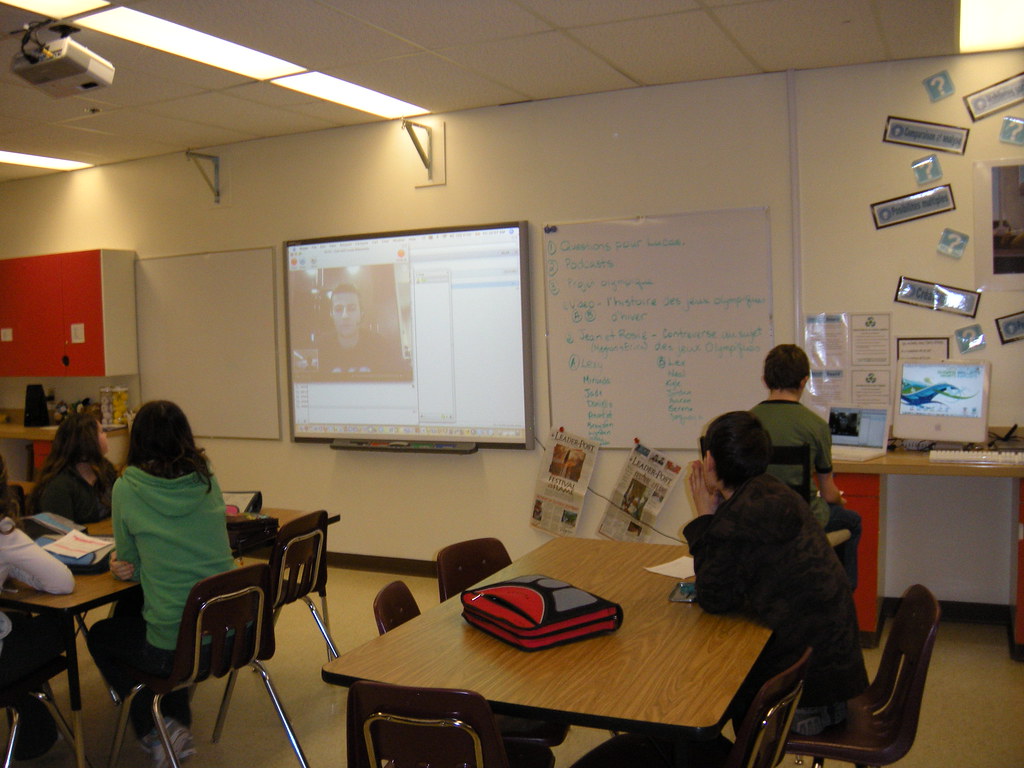
    My class has had the priviledge this year of working with a former student and long track speed skater, Lucas Makowsky. Our school "adopted" him through the Adopt an Athlete Program in September 2009. I volunteered to take the lead on this project and became the staff person responsible for this program at our school. What an amazing year it has been! I created a web page on our school website that documents what we have done with Lucas this year.

    As part of our agreement, we organized two fundraisers to help offset our athlete's training costs. The students at our school really embraced the project and raised over $1800 for Lucas through a coin drive in October and candy cane sales in December.

    There are a number of reasons I think that the students at Wilfrid Walker and my class in particular, really connected with Lucas, even if they haven't met him in person. The first would be the fact that he is a former student at our school. He finished his Grade 8 year in 2001. Even though all of the students and staff are different then when he walked the halls at Wilfrid Walker, the students thought it was cool to walk by the graduation pictures in the hallway and see his photo. To know an athelete attended your school less than 10 years ago and is now an Olympian makes that Olympic dream you have as a young athlete that much more real. "If he can do it, so can I!" was the attitude of a number of student athletes at our school. They also felt like they "knew someone at the games" and really loved watching him compete at the Olympics.

    The next reason would be the Olympian we adopted. To be part of the program, Lucas had agreed to send updates of what he was up to during the year so that we would gain some insight into the life of a competitive athlete. My students write blogs and were able to connect virtually with Lucas through their blogs by reading his updates and responding to him on their blogs. He would read their entries and then respond to them through his next update or let me know what he thought through his emails. They also kept up to date on what he was doing by reading his own blog on his website and looking at the photos on his website as he competed in the World Cup circuit and trained for the Olympics. The fact that Lucas is so open and generous with his time made the students feel like they knew him, even without having met him. My class also got to talk to Lucas using Skype and the students really enjoyed this opportunity to ask him questions and hear his advice and stories. They even got to see how he sharpened his skates.

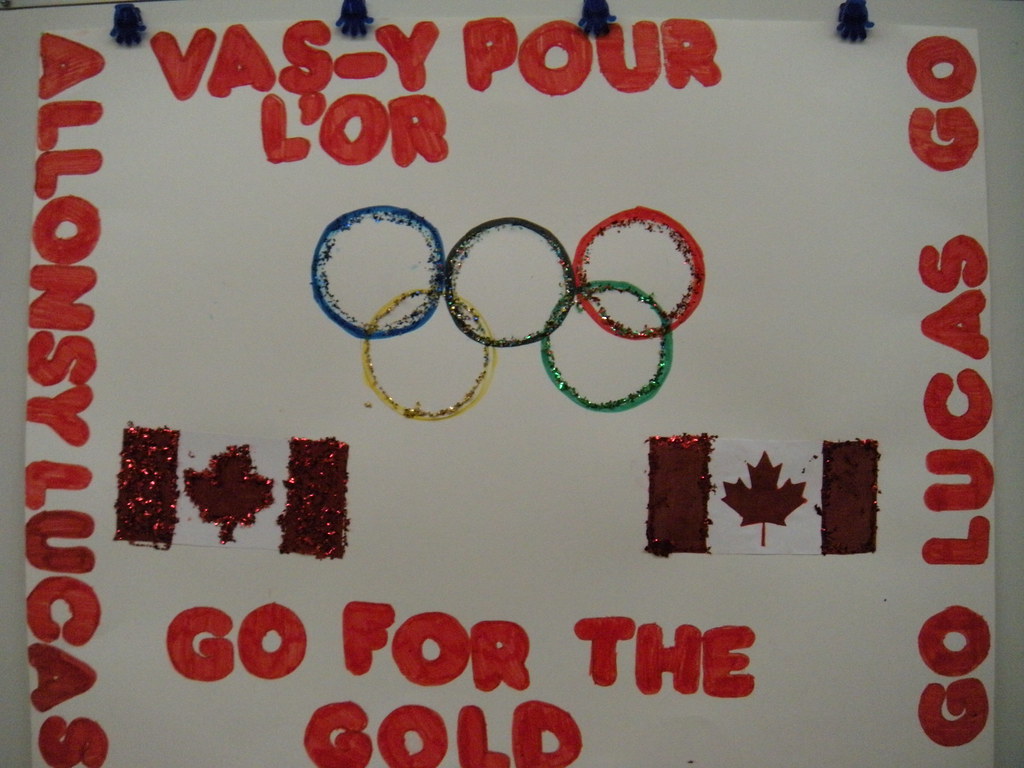
    Another reason would be because the Winter Olympics were in Canada and there was a lot of coverage and connection to these games being in our own country. I was fortunate enough to have been planning a trip to attend the Olympics when we adopted Lucas and was able to incorporate my students' excitement for the games into my trip. My tickets to the games included a long track speed skating race (5000m) which ended up being Lucas' Olympic debut. My students decided I needed a sign to hold up at the race and made one for me to take to Vancouver. I laminated it and was proud to wave it at his race on their behalf. He saw it just before he started his race and smiled at me and told me later that he had seen it. It made me feel like I had been able to take my whole class with me to the games and he knew we were all there cheering him on. I was also lucky enough to meet up with Lucas a couple of days later to give him the sign and take some photos in front of the Richmond Olympic Oval. My students thought that it was really cool to have their sign make this trip and to see it through photos was almost as good as being there themselves.

    Upon my return from the Olympics, my students decided that Lucas needed a final boost of support after finishing 19th in his second race (1500m) before his last event (the Team Pursuit). They planned out a video that involved the whole school. They wrote cheers and prepared posters for the other classes to use. They even wrote a bilingual song and choreographed a dance that they performed in the video. Students that did not want to appear in the video volunteered to compose music in Garage Band or took on directing and video taping roles. After viewing the video, Lucas told the students that he had been inspired by their video and appreciated their support. Here's their video:


    A number of media outlets were taken with our story and came out to cover our support for Lucas. I prepared a year-in-review of our project that includes many of the media clips broadcast over the past few months.

    As a great ending to our story, Lucas and the Men's Pursuit Team managed to finish their Olympic experience by winning a gold medal. We look forward to welcoming Lucas to our school in the near future. My students can't wait to meet this wonderful athlete and great role model they've really gotten to know. This has been such a fantastic experience that I know we won't soon forget!

    Sunday, January 31, 2010

    The road to a paperless classroom begins on Monday


    ...Like Oxygen
    Originally uploaded by colemama
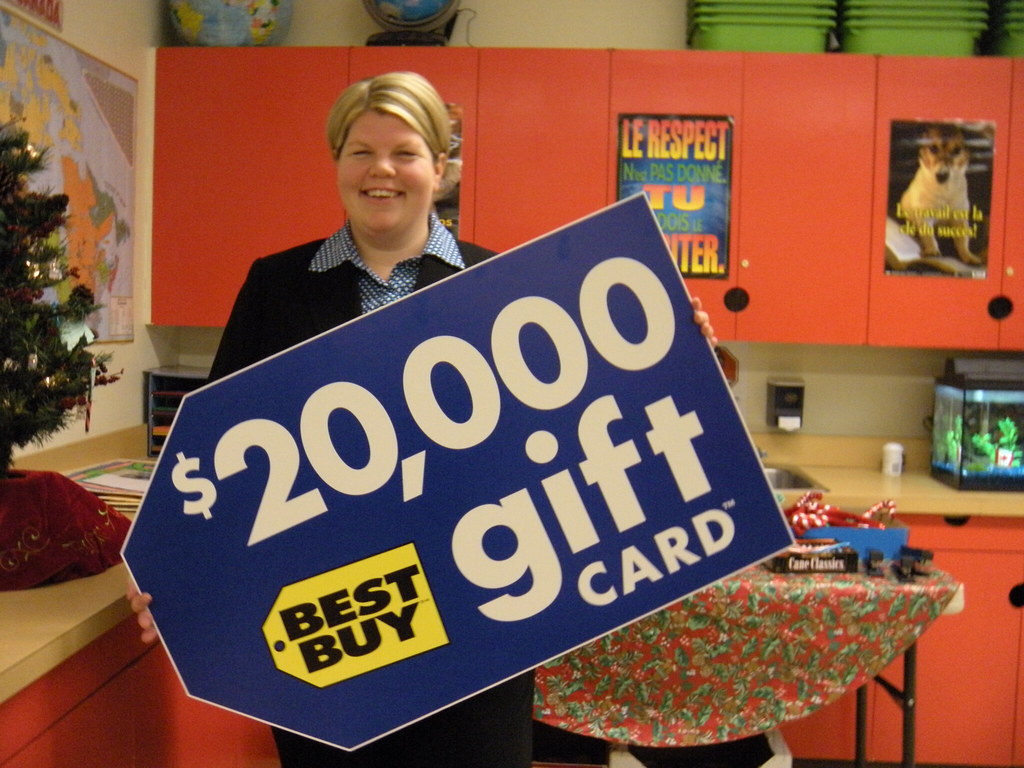
    I'm lucky enough to have gone on a $20,000 shopping spree at Best Buy on Friday and was able to purchase many new tools for my classroom. As a recent winner of the Best in Class Fund, my students and I are now the proud owners of a class set of iPod touches, a class set of netbooks, a number of headset microphones, a few Kodak Zi6 cameras, a Nikon SLR camera and two new 21" iMacs.

    What are we going to do with all of these new tools you ask? Well, you will just have to wait and see. I can't wait to see the excitement on my students faces on Monday morning when they find out I finally got to go shopping and was able to buy all of the things that we have been talking about buying for the last few months. I also can't wait to see how they will use these carefully chosen tools to enhance their learning experiences in my classroom.

    Our goal in our choices, was to have the ability to effectively integrate technology into our classroom so that it becomes a normal part of our learning day. We will no longer have to think twice about using a tool that we want to use to explore, document or demonstrate our learning. All of these wonderful tools will be at our fingertips and part of our everyday school experience.

    I find it fitting to see a number of wonderful educators posting their thoughts and experiences from this year's Educon this weekend. Dean Shareski posted a link to the photo included in this post from colemama that includes a quote from a leading administrator in the integration of technology, Chris Lehmann and the founder of Educon about the need for tech to become like oxygen: 
    "We should use the technology to create whole new schools. Technology needs to be ubiquitous, necessary and invisible." - Chris Lehmann, Principal, Science Leadership Academy
    As I strive to effectively integrate this new technology into my classroom, my hope is that you check back to read about our journey. I also hope that you will see a learning journey that is supported by these new tools and not just a log about how to use these tools in the classroom. Please wish us luck in our new adventure. I can't wait to share it with you.

    Tuesday, January 12, 2010

    Vancouver 2010 Winter Olympics

    With only 30 days to go, Olympic fever has been spreading rapidly through my classroom. We have been counting down the days to the openning ceremony since the first day of school. Students come to school on a regular basis and tell me about a story they heard about this athlete or that venu. We also adopted a former student who was named to the Canadian Olympic Long Track Speed Skating Team yesterday, Lucas Makowsky. We can't wait to follow his progress and cheer him on during the games. We have set-up a page on our website to track Lucas and to showcase some of the things we have done to support him thus far. Check it out at: http://wilfridwalker.rbe.sk.ca/makowsky

    For the students that weren't as excited as the others, they have come on board and joined the band wagon. It helps that the Olympic Torch Relay passed through our city during the weekend giving most of us a more direct connection to the games. I made a video to document the torch's visit to our city over the weekend. You can check it out below. My appologies in advance for some of the shaky cinematography. I need to invest in a tripod. Here it is:


    It also helps that my class started working on their online collaborative project on Monday.You can check out our progress over the next 6 weeks on the collaborative project wiki: http://2010olympics.wikispaces.com/

    For us, it is a big deal that we are the host country for the Winter Olympic Games. It has been 22 years since we have last hosted such an event. I'm wondering if other people that aren't Canadians are as excited as we are about the start of the games? Or, if you are a Canadian Teacher, are you working on a special project? What are you doing to study the Olympics in your classroom?

    Tuesday, December 15, 2009

    K12 Conference: Options for Building Your Teacher Website and Why YOU Should

    On Tuesday, I will be giving an in-service to some of the teachers at my school to help improve and build their websites. With that in mind, I came across this 20 minute presentation by Cyndi Danner-Kuhn that was made last week as part of the 2009 K12 Online Conference. Cyndi's presentation offers a quick overview of what to include in a website and what free tools are available on the web for teachers who are interested in building their own websites. For more information about the presentation, visit Cyndi's supporting links on her webisite.

    Here's the presentation:

    Thursday, December 10, 2009

    We won the Best Buy "Best in Class" Contest

    Today, my Grade 7 class and I were happy to accept a gift card from Best Buy worth $20,000 for our video and technology proposal we submitted to the Best Buy "Best in Class" Fund. I wrote about our submission in October on my blog: My Life, our Future - Ma vie, notre futur. If you haven't already checked out our video, please do! My students are very proud of our collective writing project. We were one of 15 classes to be awarded with this prize from across Canada.

    We are planning on making our classroom virtually paperless with the purchase of a class set of ipod touches, netbooks for all of the students to use and recording equipment so that we can have our own weekly podcast show. Stay tuned to see what we will create with all of our new technology. We are very excited to go shopping and to get started on our new learning adventure in 2010.

    Wednesday, December 9, 2009

    KI2 Online conference 2009 - The iPod Touch in Education

    I have noticed lately that the information that I have posted about using the iPod Touch in the classroom is quite popular. For those of you who have been searching for more information about how to use these devices in an educational setting, you're in luck. Today, while viewing presentations in the KI2 Online conference 2009, I came across a short presentation by Kern Kelley on how to get started with the iPod Touch and the different educational applications that are available.

    You can view the presentation here:


    You can visit the links to the information in the presentation here:
    http://docs.google.com/View?id=dgkxbfp9_92spf6m9dt

    Monday, December 7, 2009

    KI2 Online conference 2009 - Getting Started Keynote - The Wizard of Apps

    I didn't have time this morning to attend the live session of the K12 Online conference. Fortunately, you can watch the presentations online when it is convenient for you.

    The keynote this morning was very well done. It was presented by Joyce Kasman Valenza and was entitled "The Wizard of Apps". This presentation featured "a sing-a-long" portion where high school drama students sang songs about the importance of web 2.0 applications to the tune of songs from the Wizard of Oz. The presentation itself is full of great Web 2.0 apps available for teachers to use in their classroom and Joyce does a great job explaining how these apps have been used in an educational setting.

    The presentation can be seen here:


    The slides can be found here:

    For more information and links mentioned in this presentation, visit: newtoolsworkshop.wikispaces.com

    For more information on the K12 Online Conference 2009, visit: http://k12onlineconference.org/

    Monday, November 30, 2009

    2009 K12 Online Conference Begins

    A fascinating and exciting learning opportunity is available now online all month during the K12 Online Conference. You can find out more by visiting the conference's NING or by checking out the schedule on the conference wiki. There are also announcements and news on the conference's blog: K12 Blog Whether you are an educator just starting out with technology integration or a veteran user, there is something for you. You can even check out archived sessions if the broadcast time is not conducive to your schedule.

    I just finished watching Kim Cofino's pre-conference keynote: "Going Global: Culture Shock, Convergence and the Future of Education" which you can watch here or in the embedded video below:


    Kim's 10 years of experience teaching at 3 different International Schools around the world. Her exploration of culture shock as well as her inclusion of perspectives of educators and students from around the world at other International Schools is a great way to start off this online conference. Well done Kim!

    Check out the sessions over the month. There is something for everyone.

    Saturday, November 21, 2009

    Real-time and living statistical counters and simulators used in the classroom

    One way to introduce my students to the use statics in real life is to show them real-time counters or simulators that are created to count a variety of things the moment you view the page. These living statistics are different than the page counters and other more common counters located on websites and blogs. Those are more static and only change the next time you visit the site. The ones they find most fascinating are the live or real-time counters because they see the numbers grow and change before their eyes.

    In viewing and interacting with these gadgets and websites, students start asking numerous questions. I find that these types of counters always generate good discussions and inquiry opportunities. We tend to question the creators and their purpose for creating such a counter. We question motive and point of view such as: How are these counters used to illustrate the author's point of view? Can we believe the sources of their statistics? How have the statistics been manipulated to create certain results?

    One of our favourites to leave up on the SMART Board while students are working on other things is the Breathing Earth which simulates the birth rate, death rate and C02 emissions around the world and displays current world and country populations. Students always generate interesting questions about the human impact on limited world resources while viewing this website. They are also fascinated when they start to compare their country's population and CO2 emissions with other countries that are smaller in geographical size but have much larger populations.

    Another interesting tool to look at the impact of Social Media is from Gary Hayes' blog Personalize Media. One of his latest is this Mobile Industry counter:


    He also has a Social Media counter:


    Another interesting live statistics website depicts Real Time World Statistics on Reeko's Mad Sciencest Lab. This site has a number of different types of statistics from the general interest "How many McChicken sandwiches have been sold since you began viewing this site?" to the more detailed Science and Energy Consumption statistics.

    One website I've found that illustrates the use of real-time counters for a lesson or discussion on the author's point of view is the website Immigration Counters.com. This website shows how statistics can be used, displayed or interpreted to illustrate one point of view on immigration.

    Do you have other gadgets or websites that you like to use with students to demonstrate live statistics? I'm always looking for new and interesting websites and gadgets with live statistics. I would love to hear about the ones that you use or that you have come across.

    Saturday, October 24, 2009

    C'est l'Halloween

    My Grade 7 class works every week with a Grade 1/2 French Immersion class doing paired reading and tutoring. This week is our last session before Halloween so I made up a SMART Board activity for the students to learn a simple Halloween song in French. It is a favourite amongst French Immersion students; "Ces't l'Halloween" by Matt Maxwell. I also used the slides that I made for the SMART Board to make a video. If someone else would like to use this activity, feel free.

    Here's the video:


    Here's a link to the SMART Notebook file I created to make my video in my Dropbox: C'est l'Halloween

    Friday, October 23, 2009

    What Teachers Do After School

    I found this video really cute. It is perfect for this weeks Friday Funny. Enjoy!

    Sunday, October 18, 2009

    Reasons to contribute to Creative Commons on Flickr


    When uploading some photos to Flickr today, I noticed that I had a message. As someone who is not necessarily known for my photography skills, I was thrilled to read this message:

    _________________________________________________
    From: Emma J. Williams Emma Williams
    Subject: Schmap: Washington DC Photo Inclusion

    Hi Joanna,

    I am delighted to let you know that one of your photos with a Creative Commons license has been selected for inclusion in the newly released ninth edition of our Schmap Washington DC Guide:

    12th Street & Pennsylvania Avenue
    www.schmap.com/washingtondc/activities_allwashingtondc/p=374272/i=374272.jpg

    If you use an iPhone or iPod touch, then this same link will take you directly to your photo in the iPhone version of our guide. On a desktop computer, you can still see exactly how your photo is displayed and credited in the iPhone version of our guide at:

    12th Street and Pennsylvania Avenue
    www.schmap.com/?m=iphone#uid=washingtondc&sid=activities_allwashingtondc&p=374272&i=374272

    Finally, if you have a blog, you might also like to check out the customizable widgetized version of our Schmap Washington DC Guide, complete with your published photo:
    www.schmap.com/guidewidgets/p=35093198N06/c=SM20051091

    Please enjoy the guide!

    Best regards,
    Emma Williams,
    Managing Editor, Schmap Guides
    www.schmap.me/emma.williams
    ________________________________________________

    Even if I'm not the world's best photographer, it is always exciting to have something published, even if it was unintentional. I also think that it is funny that a Canadian can take a photo that later appears in a map program for the US Capitol.

    Storytelling through Social Media: The Modern Narrative Defined

    Check out this SlideShare Presentation. It is aimed toward business but could easily be adapted to teach about modern storytelling in the classroom. I thought that some people might find it interesting.

    Friday, October 16, 2009

    A vision of students about learning in the 21st century

    After showing my class a number of videos about learning in the 21st Century, I asked my Grade 7 students to come up with their vision of learning in the 21st Century. They came up with some fantastic ideas related to a changing world, using technology and becoming life-long learners. They decided we should produce our video in a bilingual format so that they can showcase their English and French skills. We wrote a collective script in French and then translated it into English. Here's their video. They are so proud of their group effort! Please let us know what you think.

    Friday, October 2, 2009

    Friday Funny - Seniors Twittering

    I thought that this segment on the Jay Leno Show last night was funny. I thought that it would also be a good video clip to show when giving a workshop on Social Media. I told some of my co-workers about it at lunch and I promised to post the link. Thanks to one of my friends on Twitter (ChavesH), I was able to get the clip. Here it is! You can follow this link if the embeded version doesn't work: Jay Leno