Sunday, October 18, 2009
Reasons to contribute to Creative Commons on Flickr
_________________________________________________
From: Emma J. Williams Emma Williams
Subject: Schmap: Washington DC Photo Inclusion
Hi Joanna,
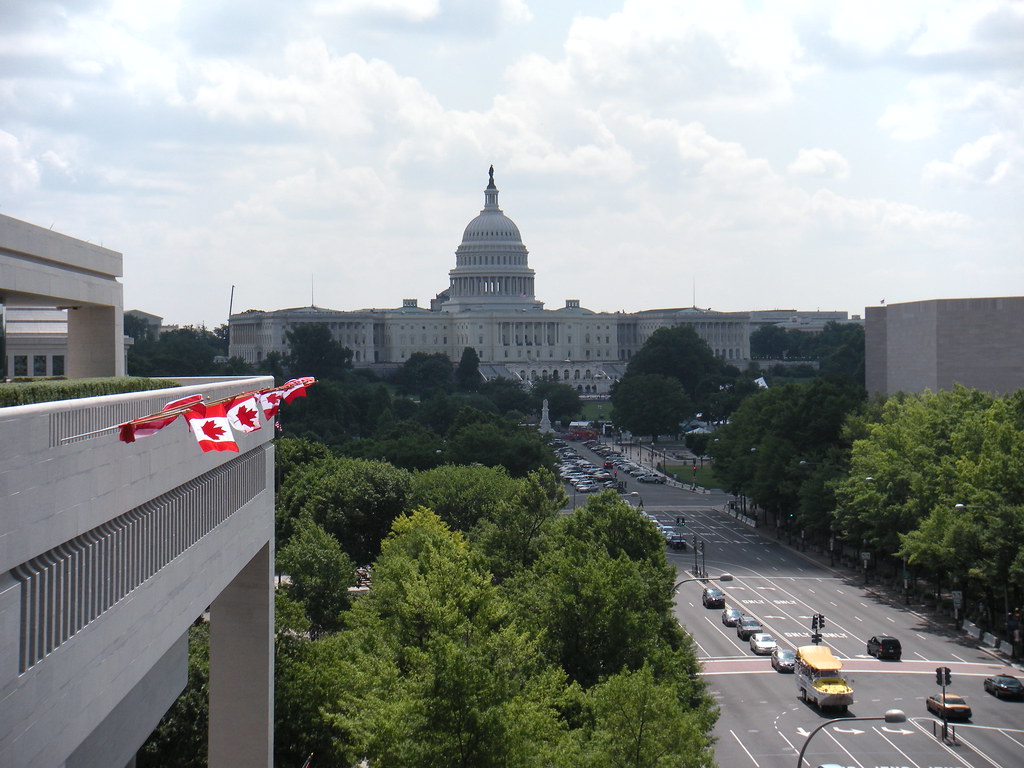
I am delighted to let you know that one of your photos with a Creative Commons license has been selected for inclusion in the newly released ninth edition of our Schmap Washington DC Guide:
12th Street & Pennsylvania Avenue
www.schmap.com/washingtondc/activities_allwashingtondc/p=374272/i=374272.jpg
If you use an iPhone or iPod touch, then this same link will take you directly to your photo in the iPhone version of our guide. On a desktop computer, you can still see exactly how your photo is displayed and credited in the iPhone version of our guide at:
12th Street and Pennsylvania Avenue
www.schmap.com/?m=iphone#uid=washingtondc&sid=activities_allwashingtondc&p=374272&i=374272
Finally, if you have a blog, you might also like to check out the customizable widgetized version of our Schmap Washington DC Guide, complete with your published photo:
www.schmap.com/guidewidgets/p=35093198N06/c=SM20051091
Please enjoy the guide!
Best regards,
Emma Williams,
Managing Editor, Schmap Guides
www.schmap.me/emma.williams
________________________________________________
Even if I'm not the world's best photographer, it is always exciting to have something published, even if it was unintentional. I also think that it is funny that a Canadian can take a photo that later appears in a map program for the US Capitol.
Storytelling through Social Media: The Modern Narrative Defined
Friday, October 16, 2009
A vision of students about learning in the 21st century
Friday, October 2, 2009
Friday Funny - Seniors Twittering
Thursday, September 17, 2009
iPod Touch in the Classroom
Earlier this week, I was jealous to hear that the University of Saskatchewan was offering a course in creating an "app" for Smart phones. Now why couldn't I take a cool course like that when I was in University? Even if it wasn't for money making purposes, I think it would be interesting to design applications to enhance your lessons to use on your class set of iPod Touches. You can listen to the story on the CBC Saskatchewan's Morning Edition Podcast that aired on September 14th here.
While reading my Twitter Feed today, I came across this video about the use of the iPod Touch in a classroom in England on the Learn 4 Life blog. I had to share because I found it quite interesting.
Maybe one of my future projects will be to invest in some iPod touches for my classroom. I think that with the number of applications that they have available now for the iPod Touch, it would be an interesting investment in student learning, especially given the new approach we are using in our school right now based on cooperative, inquiry based learning.
I'm looking for other educators who are using iPod touches in their classrooms. How do you use them and why do you find them useful to enhance students' learning? If you have any experiences or insights to share, I would love to hear from you.
Wednesday, September 9, 2009
What is a 21st Century Learner?
One blog that I like to visit on occasion is called Teach Paperless. In June, Shelly wrote an interesting mission statement and personal mission statement about 21st Century Skills that all teachers should check out. Along with their mission statement, the writer also included a great list of 21st Century Skills that students require to become lifelong learners ready to take on an ever changing world as future workers. Here's the list:
• Critical Media Network Skills: the ability in a networked environment to recognize when you are being taken advantage of via special interests and the ability to argue within the dominant paradigm of a global network with acuity and accuracy based upon the application of historical, philosophical, creative, and intellectual skills grounded in the history of human thought and applied to the spontaneity and immediate global impact of 21st century networked communications.Another blog that I like to read is David Warlick's. On August 24th, Warlick wrote about a definition for What is 21st Century Learning? I found his definition interesting because he juxtaposes it with what skills a pre-digital learner required (listening, watching and remembering) compared to what skills a 21st Century learner needs now. Here's his definition:• Participatory and Networked Information and Communication Skills: the ability to take part in one’s global society on equal footing with any other human via the immediacy and power of digital networks. Long-term, this may mean sharing any variety of networked consciousnesses.
• Collaborative Social Meta-Thinking: the ability to learn from and give back to both local community-based and global-based digital social networks. This may extend in future environments to nanotechnology merging with on-demand personalized virtual reality.
• Creative Network Confidence and Digital Community Stewardship: the ability to use the global network for both the purposes of creative problem solving and for the benefit of peaceful co-existence between peoples, animals, ecologies, and environments.
• Digital Cunning: students will learn that merely ‘using technology’ does not mean that you are either educated in or are a contributing member to the global network. Drawing on a strong Liberal Arts background merged with Digital Age critical thinking skills, students will be able to distinguish between participatory media and authoritarian media even when the latter cloaks itself as the former.
• Awareness of Digital History and Digital Divide: the ability to understand historical analog modalities and to recognize the value of pre-digital and non-digital media as well as the temporary nature of specific technologies within historical evolution; the ability to understand and through social action compensate for and help to eliminate digital distinctions based on economics, politics, geography, and race.
In the digital age, where information is abundant (overwhelming) and the future is always a BIG question, I think that learning expands out of listening, watching, and remembering to include:
- questioning your learning experience,
- engaging your information environment,
- proving (and disproving) what you find,
- Constructing (inventing) new learning and knowledge [added later]
- teaching others what you have learned
- being respected for the power of your learning, and
- being responsible for your learning and its outcomes
I also found Warlick's point about the term "engagement" interesting. Instead of making it the responsibility of the teacher to engage the students, he makes it the responsibility of the learner. "...attach the verb to the students. The students will engage with their information environment (textbook, whiteboard, Internet) to learn through questioning, experimentation, discovery, and construction)."
Since this is exactly what I'm trying to do this year while working within my new school structure, I think Warlick's post came at just the right time to help me to reflect and to reafirm what I'm trying to do in my classroom. More to come this weekend when I have the chance to reflect on the first 10 days of the school year under a new structure.
Sunday, August 16, 2009
Using Go Animate in the Classroom
What I discovered was an easy to use, free website that allows me to insert characters, bacgrounds and objects into scenes and then animate their movements using a simple list of posibilities. I inserted their own music and some text. Then, voila, my first short animated feature!
For my first attempt, I created a writing prompt that would allow my students to create their own animated productions. The premise is simple; two students named Rosie and Jean are enjoying their last week of holidays before school starts and they want to experience one last adventure. What will this adventure be? They are asking the Grade 7s at Wilfrid Walker to help them decide what to do with their last week of freedom. Here is the short animation I created:
GoAnimate.com: Les aventures de Jean et Rosie à Wilfrid Walker by bobiashj
Like it? Create your own at GoAnimate.com. It's free and fun!
I hope they enjoy this activity. I can't wait to see what they come up with! My hope is that this is a successful writing activity that the students will want to revisit during the year to produce more adventures for "Jean and Rosie". I will post the results so stay tuned!
Wednesday, August 12, 2009
Creating On-line Jigsaw puzzles with pictures
Here's the first one I made. It is pretty easy with only 16 pieces. You can make them as easy or as difficult as you want!
Wednesday, July 1, 2009
Closing Keynote at NECC with Erin Gruwell
Freedom Writers: Erin Gruwell
Gruwell is a teacher from Boston who's work with a group of troubled students was made into a movie in 2007 called "The Freedom Writers". Here is Gruwell's recount of the Freedom Writers' journey.
Talks about making connections to students by getting to know them: who they are and what their history is (background).
Believing in students that everyone has a story to write about in their marble journal.
Tell me your story. Every student has a journey. It starts somewhere – where will it go?
Anne Frank's Story
Toast for change - Teach to me, not to a test.
Meaningful assignment – raise enough money and write enough letters to get Mead Geese to come from Amsterdam to LA to meet the students.
“It's a win win because we did it together – but if she does come, your lives will never be the same.”
And then she came. Student prepared best cultural dishes.
My momma wants to read about the little girl who changed my life. - Maria
I have never had a hero in my entire life but you're my hero – Darius
No I'm not a hero. I simply did what I needed to do because it was the right thing to do. Please make sure that Anne's life was not taken in vain.
Stereotyped kids will begin to believe what others say.
Turned their journals into a book to give to the Secretary of Education.
Freedom writers go to Washington (150 kids) (They named their book "Freedom Writers" after the civil rights leaders from the south in the 60s)
They may not change the world, but they would change themselves.
#1 on NY Times best sellers list. Book funded these students to go to college – the first in their families
I got out because education was the only way to equalize an unfair playing field.
The blank screen gave them the power to be immortal.
Start an organization to help teachers learn what they need to know about what they need to know to connect to each of their students – the Freedom Writers Teachers' Bootcamp.
Why kids do the things that they do. Because doing dumb things doesn't make a kid stupid. Imagine what would happen if you told them that they are brilliant.
Leave a legacy – tell people what they need to know about our profession.
Education is about believing that every single kid can make it.
Totally Cool Google Tools
NECC Session: Totally Cool Google Tools
by Tammy Worcester
http://www.tammyworcester.com/
My Notes:
Google Tools
- iGoogle page – personalized portal for information
- Blogger – as many blogs as you want with push button publishing customized to your style and needs or wants.
- Gmail – use to log into your google account
- Google Documents – allow anyone to edit, share or use the document
- Google Forms – make up questionnaires or gather information and have it input directly into a spreadsheet. This form can be located on a website or embedded on a blog,
- Show summary – google spreadsheet will graph or count your information and display it for you. Use one form with blanks and a name blank
- Backwards Google to prank a colleague – elgoog
- Google Maps – type in an address and use the “search nearby” to locate hotels and restaurants and have it send it to your phone's text
- Google Calendar – Use as a day planner for lessons and assignments – view as agenda
- Google Alerts – search your name as it appears on the web.
Place Puzzles by Bernie Dodge
by Bernie Dodge
Dodge's Outline from NECC website:
"The purpose of this session is to describe a lesson structure called place puzzles. This structure is designed to be simple enough to be used by novice teachers and flexible enough to cover a wide range of learning outcomes. It takes advantage of the growing availability of hand held devices with GPS capabilities and internet access. Place puzzles represent an improvement over field trips as typically implemented because 1) they require prior reading of web-based resources before going into the field; 2) they include 2 to 5 puzzles or riddles that combine knowledge from prior reading with close visual inspection of the environment in the field; 3) they assign roles to learners to create interdependence and involvement by all participants; and 4) they require creative problem solving, analysis and synthesis rather than just factual recall and visual recognition. The format can be applied to learning from the elementary grades up through graduate study. By the end of the session, participants will be able to describe the place puzzle concept, identify areas in their curriculum to which it can be applied, locate existing place puzzles online and use freely available templates and guides to create their own lessons in this format."
My notes from the session:
Google Wave – the next Google
Tricks to writing good clues and riddles:
http://tinyurl.com/cluewriting
Will write the clues for you:
http://www.riddleme.net/
Curricular Opportunities:
Historical events
Distance, area, shapes
Literature
Language Learning
Current Events
Field trip prep
Campus Orientation
Implementation Possibilities
Timed Special Event
Self-Promotion
Interschool competition/collaboration
Motivation:
Novelty
Uncertainty
Concreteness
Time pressure
Competition
Cooperation
Social recognition
Design Steps:
Pick topic
Identify resources
Pick locations
Write clues
Setting the Place: Interface to build place puzzles
Launch of website by Dodge will take place later this summer: placepuzzles.org
Tuesday, June 30, 2009
Share, Remix and Learn Hands on Session
by Karen Fasimpaur
karen@k12opened.com
Handouts and resources at www.k12opened.com/necc2009
Due to the nature of the session, I did not take many notes. Please visit the website for full session notes and resources.
Free Reading – K-3 free reading resources (state adopted by Florida)
Open Educational Resources (OER) are:
-digital
-free and open – open source is best (i.e. blogger vs wordpress)
-tools, content and implementation resources
-for teachers, students, and lifelong learners
Learning Adventures Gary Stager
by Gary Stager
http://www.stager.org/NECC/
My notes:
21st Century Skills – creativity, curiosity, collaboration
We need to build upon the possibility of our kids. Foster their spirit and develop their deep understanding of why we use technology and how we use them.
The choice:
Distance education
Solving Problems: distance, scarcity, skilled educators
reduce personnel costs
deliver standardized content
Distributed learning
anytime, anywhere learning
24/7
expand image of online student
students take online courses for a variety of reasons
we need the best teachers teaching online classes
Can I see your class?
Principles of OMAET
Knowledge is a consequence of experience
What do students do in your class?
Collaborative projects, knowledge sharing and Socratic discussion
Knowledge lives on the Web
Learning occurs best in a Community of Practice
Expertise is distributed
A blend of synchronous and synchronous communication is required
Simulating Intimacy Online via volume & velocity
Be open to emerging technology
-including free, low-cost and decentralized tools
Simplify the user experience
-avoid false complexity
-multiple places to save or submit work
-complicated tools
I don't need to manage a class
Don't count clicks
-What is participation?
-The cocktail party metaphor “This isn't a cocktail party” - What kind of cocktail party do you attend, come and go when you are engaged in the conversation.
Formal & Informal learning takes place
-voice & plagiarism – you get to know the student's voice through their comments and chats
learning and technology
-at same time as formal learning theory course
-can you go through an entire educational technology degree problem without computing?
Learning adventures
goals:
model constructivism & project based learning online
coercion-free (intrinsic motivation)
Encourage risk-taking & collaboration
-Feature an element of surprise
-the teacher's focus is on process
-supports reflective practice
-uses a range of skill & technology in rich ways
-Does not create winners or losers (no bell curve)
"If it were up to me, I would only give two grades... an "A" and "incomplete." ~@garystager
"The cocktail party is a brilliant metaphor for a good learning environment." ~Gary Stager
"Blackboard is great for taking lunch orders and ratting on kids." ~Gary Stager
"simulate intimacy online is done via volume and velocity of discussions" ~Gary Stager
key ingredients
-element of surprise
(m-ath)
-adequate time
-Supportive culture
-“Open everything”
-space for sharing personal reflection
be flexible
-multiple synchronous sessions
-cook a turkey until its done
Authentic problem, real construction materials – Learning Adventures
-must be in a position to figure it out and no fear of failure
-Lady MacBeth Composition (understand the character to compose her theme song)
-Where the Chicago Seven martyrs?
Literacy is the problem – no one reads, no one takes a note, etc.
Teachers should ask for more than one source to support the theory, not limit the sources that can be consulted. (Peer reviewed Journals vs Wikipedia)
Is Ned Kelley a hero? (from Australia)
International example before country example so that biases don't enter into the discussion right at the beginning of the research prompt.
www.stager.org/whoshouldIvotefor
A good prompt is worth 1,000 words
1.a good prompt, challenge, problem or motivation
2.appropriate materials
3.sufficient time
4.supportive culture (including expertise)
community vs. community of practice
overlooked features of a C.O.P.
Elders, experts, newbies
Shared history, mythology, heroes, self-importance
Common commitment to progress
practice!
Entry into the community is based on a willingness to imitate the behaviors of the masters.
The Critical Role of Expertise: community of practice
Technology matters = makes memories
Monday, June 29, 2009
Demonstration of a Grade 7 Math Class using a SMART Board
My Notes:
Uses story to start math lesson about Renee Descartes – animated using Smart Board
Lesson: Coordinate Plane
Review: Warm up on number lines (animated)
Lesson:
Manipulative:
Had students fold paper – demonstration on SMART Board with virtual paper photos or graphics. Paper cut to leave room for notes on paper on sides of Coordinate Plane.
Visual Lesson – have students come up an interact with the Smart Board – auditory and visual supports with animation
Used airliner to draw on quadrants (denoted by different colours) enables classroom management by the teacher and allows for student involvement.
Test knowledge using senteo handheld asking questions.
Transforming your Smart Lessons more Interactive
by Obe Hostetter
www.quia.com/pages/vste.html
My notes are limited due to checking out his website for the following resources and tips. Check it out! It is fantastic!
Embed movie clips
Math examples
Science Resources
Social Studies Resources
English Resources
Smart Board Resources
Good resources for finding animations to use in Notebook software.
http://animationlibrary.com
http://community.teqsmart.org/download.php
Use Notebook gallery to find all the multimedia – type flash
Smart Board Tips, Tricks and Tools
by Jennifer Uhl
juhl@cranbrook.edu
http://juhl.wikispaces.com
Session Notes:
- Layering -text reveal using a magnafine glass, hand drawn table
- Hand recognition system - knows difference between finger touch (move text) or fist
- Koosh Ball game – pop balloons, circle reveals
- Notebook Math Beta – download math toolbar – links equations, graphs and table www.smarttech.com/NotebookMathBeta
- Paint – use paint brush to reveal painting – http://jacksonpollock.org
- Smart Response System – Interactive question answering systems
- Lesson Activity Tool Kit 2.0 – Flash activities, group generator, pull tabs
- Shape Recognition Pen – Concept map, brainstorming
- Jeopardy – review game- use pull tabs to reveal answers (or hints)
- Notebook – Student Edition – object animation – fade in – erase and reveal – can run on a bracelet USB drive
- Creative Assessment – use SMART recorder or page recording to demonstrate how problems are solved
- Embedding Video into SMART Notebook pages: Any Video Converter, Zamzar, Download Helper (.flv is the only kind of document that you can embed in Notebook)
- Math videos to use with lessons: www.mathtrain.tv
- Use "groups" to help reveal answers - Notebook function
- Interactive website: Make your own puzzles with photos (http://jigsawplanet.com)
- Edublog with lots of resouces: http://ilearntechnology.com
- Interactive website using Flickr photos: http://taggalaxy.de
- Edublog with SMART Resources: http://smartboards.typepad.com
- Teaching with SMART Board http://smartboardrevolution.ning.com
- Smart Exchange: http://exchange.smarttech.com/Language.aspx
- Blog with SMART Podcasts: http://pdtogo.com/smart
- YouTube (keyword "SMARTClassrooms"): http://www.youtube.com/user/SMARTClassrooms
SMART Research: Building Collaboration Between Teachers and Library Media Specialists
Rachel Yurk (Gr. 6) and Tony Heinowski (Library Media Specialist)
from Wisconsin
rachel.yurk@nbexcellence.org
toni.heinowski@nbexcellence.org
My notes on the session:
Example-engagement of students- using Smart Board to present about themselves – What happened on your birthday?
Presenters used pull tabs during presentation
Understanding by Design
Begin with the end in mind
Engage students so they can uncover ideas
Stages of Backward Design (Grant wiggins and Jay McTighe)
Six Facets of Understanding (when students are reading or doing research)
Explain
Interpret
Apply
Perspective
Empathize
Self-Knowledge
Student Research Tools of Today:
Video Conferences
Jog the Web – (Start lesson with) uses screen shots so students know what they will be looking at when they go to the Library Media Centre website. (http://jogtheweb.com) Shows students what they will be doing on the web. Can provide passwords, recommended websites, how to log-into world book, Royalty free music for schools.
Google Earth Investigations -
Webinars
Skype Conferences (video, chat and interviews)
Library Print Media
Collaboration Tools for Teachers
Google Docs – (Use Understanding by Design template to collabrate with teachers to add questions and resources based on expertise of contributor)
Wiki
Blog
What “ends” do you have in mind?
Lets Play American Idol! - Student led presentations:
Voice Thread
SMART Notebook Presentation
Museum Box
iMovie
Power Point Presentation
Teaching Copyright and Plagiarism
interactive document you can use to demonstrate the rules
You quote It, You Note It! - http://library.acadiau.ca/tutorial/plagiarism
using a screen rewriting copy and paste into own words
Make step-by step directions for instructions that students can refer to.
Insert questions into the document for students to test their understanding of the document.
Tips for Smart Board and Web Searching:
Searchasaurus for younger students to search on the internet.
Balloon popping to reveal information and pictures.
Hide and cover text on Notebook slides.
Make up multiple choice questions on cards to answer during presentations.
Turning blocks to answer questions.
Integration of Excel into Notebook
The 10 Best Free 2.0 Tools for Educators
NECC09 Presenation: The 10 Best Free 2.0 Tools for Educators
by Steve Dembo, Discovery Education Network
Links to his presentation, notes and contact information:
My notes from the presenation:
What is Web 2.0?
Entirely Web Based – you don't need to install software
Interactive – something to do when you go there
Plays Well With Others – allows you to move content (mix and mash)
1) Bloglines (http://bloglines.com/)
keep track of all your favourite blogs, news, searches and more
all the news comes to you and you don't have to waste time going to check out all of your blogs
Plays well with others – see what others are reading
2) Delicious (http://delicious.com/)
Put your bookmarks online
Keeps it simple and does this well – that is why it is possible
Look at other people's bookmarks and see what they have saved and subscribe to their bookmarks
Use tags to categorize topics or subjects
3) Share Tabs (http://sharetabs.com/)
share your links as tabs
type in a number of sites and then gives you a page with the tabs to click on
preview a number of websites with thumbnail photos of the website
4) drop.io (http://drop.io/)
Online drop box – phone it, fax it, email it, text it, upload it, share it
100 MB for free
use for podcasting by phoning in your audio
gives you the embed code and link
5) JayCut (Beta) (http://jaycut.com/)
Full video editor online
publish behind a firewall and keep private and you don't have copyright issues
you can download it to your computer or online
unlimited space is available
multiple users on one account
http://mediaconverter.com/ is a favourite converter
6) Edmodo (http://edmodo.com/)
twitter or microblogging for educators to be use for school
can be behind a password – can be public or private
can organize it by class
send messages through filters to any number of classes or users
can have a public or private calendar
version 3.0 will let you embed audio, video or online tools/plug-in
zemote on twitter
7) Poll Everywhere (http://polleverywhere.com/)
mobile phone supported classroom polling
use text messaging to respond
30 votes for free per poll
account polls – use 10 at a time to download as a powerpoint and have live slides
you can have a computer or laptop to respond to poll
twitter integration for more feedback
8) xtra normal (http://xtranormal.com/)
online animator in 3-D
text-to-movie
supports different languages by changing language settings – you type in the language and it pronounces it in that language
establishing shot enabled – choosing a camera angle
choosing animation of the movie
rendering (creating) takes some time before it is ready
publishing then allows embed code
9) livestream (http://www.livestream.com/)
allows for live online streaming video and computer sharing
10) prezi (http://prezi.com/)
easy to interact
no slides, just a list of windows linked through a tag cloud.
Sunday, June 28, 2009
NECC09 Openning Keynote - Malcolm Gladwell
Gladwell's keynote to NECC delegates talked about the importance of creating meaningful learning environments in our classrooms.
So what does it take to create these Meaningful Learning Environments? Here are my notes from his keynote:
When we look at someone who masters something, we tend to “telescope” how long it took to learn or master that skill. Meaning we skip over how long it actually took for them to really master a skill. Gladwell said it is important to talk about how long it actually took to master a complex task or enjoy success. Throughout his speech, Gladwell used the example of Fleetwood Mac. This band was not discovered overnight, nor did it enjoy instant success. It wasn't it's first album that was its first #1 hit, it was its 16th album.
1st lesson: Effort, Attitude and Practice:
Gladwell talked about his book Outliners where he discusses the idea of the 10,000 hour rule. His theory is that it takes someone 10,000 hours or 4hrs/day for 10 years of practice before they can be masters of a particular skill or talent.
Examples given:
- Bobby Fisher – 9 years of practicing chess before becoming a master.
- Mozart – first big Concerto: #9271 when he was 23 years old after 14 years of practice.
- Beatles – Practicing in a club in Hamburg 12,000 times live. In the end, the band played together live before coming to America 7 days/week for a number of years.
Implications of this rule:
Even with talent, you need to have a great attitude about effort. An approach that says that effort is crucial to me being successful.
Another example given by Gladwell was a story about a questionnaire consisting of 120 questions before doing a complex math assessment. Results of countries who are successful in teaching math are those who are successful in teaching or reinforcing the attitude of effort. To do well at math means you need to have a positive attitude and need to demonstrate an effort towards math.
Another statement, the only way to catch up when you are behind is to work hard and to put in the time to learn.
2nd lesson: Compensation Strategy vs. Capitalism strategy:
The band builds on their failures. Compensation strategy is where you compensate for your weaknesses. Capitalism strategy is where you build on your strengths.
Hunger and effort are better gauges for measuring success than height, strength, looks, etc.
Leadership skills are important. Compensating for skills that people are missing or struggling with develop problem solving skills. Gladwell gave the example of someone with dyslexia. When they delegate to others reading and writing they are developing their problem solving skills and they are learning how to talk and be persuasive with others. In other words, they are developing their oral communication skills. Dyslexic entrepreneurs are those who managed to compensate for their disability.
Class size – students learn to compensate for the lack of teacher attention in bigger classes therefore they develop compensation skills.
Question: How do we create learning environments that encourage the practice of compensation skils?
3rd Lesson: Learning strategy- It is best to zigzag not follow a linear path – the best learn through trial and error over a period of time before becoming great.
Gladwell gave the example of an experimental inventor who finds their way to genius through trial and error.
Cezanne is an example of an artist who practices this type of learner.
Incorporates the idea of feedback – timely and targeted feedback.
Trying something and then the feedback helps make this a success. How the learning takes place is more important than where the learning takes place.
If you would like to watch Gladwell's keynote yourself, you can do so by creating a free istevision account. The link to the video is: Gladwell on ISTE Vision
Welcome to Washington, DC and NECC
I'm in Washington, DC!
After a long day of flying, and thankfully little delay, I arrived in Washington, DC for the NECC on Saturday afternoon.
I had a great start to my NECC experience by starting off my Sunday morning with a tour of Washington, DC. I signed up for a bus tour and enjoyed visiting the different monuments around the city with an excellent guide. I got to visit a number of famous historical monuments including the memorials for Lincoln, FDR, the Korean War and the Vietnam War. I also got to see the Capital building, the White House and the Washington monument. All in all it was an informative tour that makes me want to come back again to explore the city's other monuments and museums. Check out my Flickr album for some photos of my tour and other sights around Washington.
I am very excited to see the conference get underway. I'm looking forward to hearing the keynote tonight, Malcolm Gladwell, author of Outliers. My goals for this conference are to learn as much as possible about the integration of educational technology into my current practice. I will be starting the new school year with a SMART Board and I look forward to learning more about this amazing classroom tool. I also look forward to meeting a number of people that I have connected with over the year on Twitter and other networking sites. I'm guessing this will be a life changing experience and have a great affect on my current teaching practice. Stay tuned as I write about some of the sessions I will be attending this week.