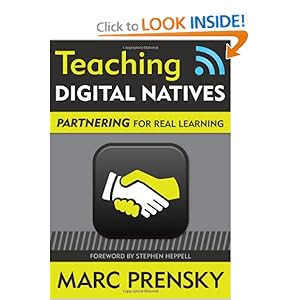
Teaching Digital Natives - Partnering for Real Learning
Marc Prensky, MBA
http://marcprensky.com/
Games to Train (Develops software)
Author of Teaching Digital Natives
Keynote #3 - Learning and the Brain Conference 2011
February 18, 2011
San Francisco, CA
Look at life from the perspective of students - what do they want and need?
"Brain Based" Learning? - Learning vs Teaching
Neuroscience - has potential to steer educators in wrong directions. What is the right mix of learning strategies and the Right Motivation to learn? The context of education has changed - don't try to bring back what has worked in the past. Previously, for students, the past was similar to the future. Now, for students, the future is different from the past.
"The perfect storm of change"
In our student's lifetime, technology will become one 1 trillion times more powerful.
groenbrothers.com - The Multi Uses for a Cell Phone
Verbs vs Nouns = Skills vs Tools
Presenting - Powerpoint
Communicating - email
Learning- wikipedia
Verbs stay the same but the nouns change rapidly.
The digitally wise person requires digital tools because there are things our brains do well but that machines do better. Wisdom in the 21st century is a combination of both.
Where we share the work
- Students do what they do well: use tech, create, finding content
-21st Century teacher is the coach, guide, partner by being able to ask good questions
Better pedagogy is needed in the form of partnering between students and teachers. Teachers are tools in education. We need to implement 21st century tools by focussing professional development on changing pedagogy first. We need to create an environment where students are teaching themselves with their teachers guiding and coaching them along the way. Leturing and technology as a combination does not make sense. It is like a runway crossing a highway. (airport in Gibraltar)
Final point: We need to change how we teach and what we teach because the context around the kids is changing.
Friday, February 18, 2011
Learning and the Brain Conference 2011 - Linda Darling-Hammond
Linda Darling-Hammond
Transforming Teaching Learning and Assessment
How Can We Prepare Learners for a Flat World?
Morning Keynote #2
Learning and the Brain Conference 2011 - San Francisco, CA
Author of The Flat World and Education
Key points: This keynote was very interesting but mostly spoke about the need for reforms in the American education system. She used PISA scores and spoke about the need to evaluate 21st century learning skills through task-type/problem solving type assessments as opposed to testing based on memorization. Used Australian examples of assessment.
The Need for More Powerful Teaching - Loved the clip from Ferris Buller's Day Off. Anyone? Anyone?
More knowledge has been created between 1999-2003 than in the history of mankind preceding it.
Expectations for Learning are Changing:
The new context means new expectations. Most studies include:
communicate, change teams, problem solving, etc. list by Chris Wardlaw (Improving on Being First in PISA)
A Rich Task: Science and Ethics Confer (Queensland, Australia)
an example of an assessment requiring the skills in the above list.
Worldwide Reform Initiative Generally Seek to "Teach less and learn more" giving the time for the analysis of problems, develop critical thinking, etc.
Tests for learning, not high-stakes "punishments"
What does the score mean and what are we measuring?
Transforming Teaching Learning and Assessment
How Can We Prepare Learners for a Flat World?
Morning Keynote #2
Learning and the Brain Conference 2011 - San Francisco, CA
Author of The Flat World and Education
Key points: This keynote was very interesting but mostly spoke about the need for reforms in the American education system. She used PISA scores and spoke about the need to evaluate 21st century learning skills through task-type/problem solving type assessments as opposed to testing based on memorization. Used Australian examples of assessment.
The Need for More Powerful Teaching - Loved the clip from Ferris Buller's Day Off. Anyone? Anyone?
More knowledge has been created between 1999-2003 than in the history of mankind preceding it.
Expectations for Learning are Changing:
The new context means new expectations. Most studies include:
communicate, change teams, problem solving, etc. list by Chris Wardlaw (Improving on Being First in PISA)
A Rich Task: Science and Ethics Confer (Queensland, Australia)
an example of an assessment requiring the skills in the above list.
Worldwide Reform Initiative Generally Seek to "Teach less and learn more" giving the time for the analysis of problems, develop critical thinking, etc.
Tests for learning, not high-stakes "punishments"
What does the score mean and what are we measuring?
Learning and the Brain Conference 2011 - Tony Wagner
Overcoming the Global Achievement Gap: Learning, Leading and Teaching in the 21st Century
Tony Wagner, ED.D.
Innovation Education Fellow
Technology and Entrepreneurship Center at Harvard
tony_wagner@harvard.edu
www.changeleadershipgroup.org
Author of: The Global Achievement Gap
Learning and the Brain Conference 2011, San Francisco, CA
Morning Keynote #1 - February 18, 2011
What is the "crisis" in American education really all about - what's the "problem"?
The rock: New Skills for work, continuous Learning and Citizenship in a "knowledge society" for All Students
They are skills we don't teach and don't assess
This Net generation is differently motivated to learn
Reform vs. Reinvention
- we need new structures, different ways of teaching and testing and new ways of evaluating (reinvention)
-The seven survival skills for careers, college and citizenship
1. Critical Thinking and Problem-Solving - demands of employers today for its employees to be able to do. The ability to ask really good questions and the right questions.
2. Collaboration Across Networks and Leading by Influence - lead by peers.
3. Agility and Adaptability
4. Initiative and Entrepreneurship
5. Effective Oral and Written Communication - kids can write because they don't know how to think and they don't know how to write with voice. This makes them not very persuasive.
6. Accessing and Analyzing Information - question curriculum that requires memorization. Move beyond textbooks.
7. Curiosity and Imagination - 70% of US Economy is consumer driven and the savings rate was -2% - People are spending money they do not have on items that they do not need. We need young people who are going to be innovative and solve the worlds problems.
Learning walks - see how people are teaching and propose change (evaluation of practice - spend as much time debriefing as you spend observing)
The only curriculum in American schools is test prep.
What is the Global Achievement Gap - it is the gap between what even our best schools are teaching and testing versus the skills all students will need for careers, college and citizenship in the 21st century.
What motivates the Net Generation- accustomed to instant gratification and always-on connection
use the web for:
Rigor - guess who?
- not content driven but give them the 21st century skills - need to know how to write, research and form an effective study group (peer group learning)
Focus on Timeless learning that has stood the test of time:
Focus on using content to master the competencies of "Just-in-Time Learning"
Rigor is figuring out the right question/problem to be solved, exploring questions and new problems within and across disciplines
Habits of Mind - learning to ask the right questions - copied and re-posted from www.missionhillschool.org - Habits of Mind section of their website:
Redefining District Organizational Excellence: Accountability
Hold ourselves accountable for What matters Most (AYP vs Attainment)
Track cohort graduation rate and how well students do once they are in College (www.studentclearinghouse.org)
1. Use the College and Work Readiness Assessment to assess analytic reasoning, critical thinking, problem-solving and writing www.cae.org
2. Academics - Doing the New Work: teaching and assessing the skills that matter most - the 3 Cs (Critical and Creative Thinking, Communication and Collaboration) in every class and at all grade levels. Pilot interdisciplinary courses around essential questions that require all students to have digital portfolios, work internships and a service internship project
3. Collaboration: Doing the New Work in New Ways
-every student has an adult advocate
-every teacher on teams for collaborative inquiry looking at student and teacher work
-Transparency: videotape teaching, supervision and meetings (lesson study vs. evaluation)
-Digital portfolios for teachers and leaders
4. Policy implications for REAL Innovation
Accountability 2.0 Systems: Tracing read grad rate
School based Research and Development - creating lab schools - pictures of what 21st century schooling can be like New Tech High and High Tech High; videotape exemplary lessons and teacher team meetings.
5. Performance standards to license and re-license educators.
Tony Wagner, ED.D.
Innovation Education Fellow
Technology and Entrepreneurship Center at Harvard
tony_wagner@harvard.edu
www.changeleadershipgroup.org
Author of: The Global Achievement Gap
Learning and the Brain Conference 2011, San Francisco, CA
Morning Keynote #1 - February 18, 2011
What is the "crisis" in American education really all about - what's the "problem"?
The rock: New Skills for work, continuous Learning and Citizenship in a "knowledge society" for All Students
They are skills we don't teach and don't assess
This Net generation is differently motivated to learn
Reform vs. Reinvention
- we need new structures, different ways of teaching and testing and new ways of evaluating (reinvention)
-The seven survival skills for careers, college and citizenship
1. Critical Thinking and Problem-Solving - demands of employers today for its employees to be able to do. The ability to ask really good questions and the right questions.
2. Collaboration Across Networks and Leading by Influence - lead by peers.
3. Agility and Adaptability
4. Initiative and Entrepreneurship
5. Effective Oral and Written Communication - kids can write because they don't know how to think and they don't know how to write with voice. This makes them not very persuasive.
6. Accessing and Analyzing Information - question curriculum that requires memorization. Move beyond textbooks.
7. Curiosity and Imagination - 70% of US Economy is consumer driven and the savings rate was -2% - People are spending money they do not have on items that they do not need. We need young people who are going to be innovative and solve the worlds problems.
Learning walks - see how people are teaching and propose change (evaluation of practice - spend as much time debriefing as you spend observing)
The only curriculum in American schools is test prep.
What is the Global Achievement Gap - it is the gap between what even our best schools are teaching and testing versus the skills all students will need for careers, college and citizenship in the 21st century.
What motivates the Net Generation- accustomed to instant gratification and always-on connection
use the web for:
- extending friendships,
- interest-driven, self-directed learning and as a tool for self-expression,
- constantly connected,
- creating and multitasking in a multimedia world-everywhere except in school
Rigor - guess who?
- not content driven but give them the 21st century skills - need to know how to write, research and form an effective study group (peer group learning)
Focus on Timeless learning that has stood the test of time:
- Rigor is content mastery (getting more right answers)
- studying existing content by disciplines
- learners working alone and in competition
- motivated mainly by extrinsic rewards (grades)
- taught by isolated content experts through memorization/recall
- assessed mainly by multiple choice, computer scored tests
Focus on using content to master the competencies of "Just-in-Time Learning"
Rigor is figuring out the right question/problem to be solved, exploring questions and new problems within and across disciplines
Habits of Mind - learning to ask the right questions - copied and re-posted from www.missionhillschool.org - Habits of Mind section of their website:
Five Habits of Mind
The Mission Hill Habits of Mind are an approach to both the traditional academic disciplines (math, science, literature and history) and the interdisciplinary stuff of ordinary life. They are what lead us to ask good questions and seek solid answers. They are our definition of a well-educated person.
1. Evidence: How do we know what’s true and false? What evidence counts? How sure can we be? What makes it credible to us? This includes using the scientific method, and more.
2. Viewpoint: How else might this look like if we stepped into other shoes? If we were looking at it from a different direction? If we had a different history or expectation? This requires the exercise of informed “empathy” and imagination. It requires flexibility of mind.
3. Connections/Cause and Effect: Is there a pattern? Have we seen something like this before? What are the possible consequences?
4. Conjecture: Could it have been otherwise? Supposing that? What if...? This habit requires use of the imagination as well as knowledge of alternative possibilities. It includes the habits described above.
5. Relevance: Does it matter? Who cares?
None of these five habits stand separately. And the way we use such habits differ if we are studying a mathematical proof, a scientific hypothesis, an historical dispute, a debate over economics, the appreciation of a piece of art, a critique of a novel, the telling of a myth or narrative, or the settling of a playground dispute.
The Mission Hill Habits of Mind are supplemented by Habits of Work: the habit of meeting deadlines, being on time, sticking to a task, not getting frustrated quickly, hearing out what others say, and more.
Both sets of “habits” are developed in the process of gathering appropriate knowledge and skill in school and out. The best test is whether students use such habits in the course of their work. And again, not just in school. Knowing “how-to” is no substitute for having good habits. Who cares if you could drive well, if you’re not in the habit of doing so? Who cares if you could be on time, if you never are?
Redefining District Organizational Excellence: Accountability
Hold ourselves accountable for What matters Most (AYP vs Attainment)
Track cohort graduation rate and how well students do once they are in College (www.studentclearinghouse.org)
1. Use the College and Work Readiness Assessment to assess analytic reasoning, critical thinking, problem-solving and writing www.cae.org
2. Academics - Doing the New Work: teaching and assessing the skills that matter most - the 3 Cs (Critical and Creative Thinking, Communication and Collaboration) in every class and at all grade levels. Pilot interdisciplinary courses around essential questions that require all students to have digital portfolios, work internships and a service internship project
3. Collaboration: Doing the New Work in New Ways
-every student has an adult advocate
-every teacher on teams for collaborative inquiry looking at student and teacher work
-Transparency: videotape teaching, supervision and meetings (lesson study vs. evaluation)
-Digital portfolios for teachers and leaders
4. Policy implications for REAL Innovation
Accountability 2.0 Systems: Tracing read grad rate
School based Research and Development - creating lab schools - pictures of what 21st century schooling can be like New Tech High and High Tech High; videotape exemplary lessons and teacher team meetings.
5. Performance standards to license and re-license educators.
Thursday, February 17, 2011
Learning and the Brain Conference 2011 - Linda Jackson
Linda Jackson
Learning and the Brain Conference 2011 - Breakout Session (PM)
Internet, Video Games and Children: Relationships with Academic Performance and Creativity
https://www.msu.edu/~jackso67/
https://www.msu.edu/user/jackso67/CT/children/index.htm - Children and Technology Project
What is IT doing to our children? Is it helping, hurting or having no effect on a multitude of developmental outcomes?
Academic Outcomes?
HomeNetToo Project 90 Families in Michigan were given computers and Internet for 16 months.
Frequency of Children's Internet Use - Mostly spent on websites and playing games.
No effects on psychological well-being
no effects on social involvement
positive effects on academic performance (GPA and MEAP reading scores)
By using the Internet, they were reading to figure out where to go. They weren't hanging out with their friends at the mall or doing other activities that wouldn't require reading (testing out this hypothesis right now).
Summary: (finding on the Effects of IT Use, 2005)
Internet use: suggestive evidence of benefits to reading scores and GPAs of under achieving children. Children Claim it is important to school performance
Communication Using the Internet: Mixed in the larger literature, there is evidence of positive and negative effects (e-mail, Instant Messaging) on social connections.
Cell phone use: very little research, especially on children's cell phone use.
Videogame Playing: Evidence that playing violent video games is also related to lower GPAs and in adults, to better visual-spatial skills.
Bronfenbrenner's Ecological Systems Theory of Development Applied to IT Use:
Person & Context (graphic to look up online but took photo)
Children and Technology Project:
482 children from 20 middle schools in Michigan
Results:
Internet use predicted reading skills
communication using the Internet predicted nothing
Cell phone use predicted nothing
video game playing predicted visual-spatial and negatively predicted GPA.
Students who are low benefit the most from video game use and Internet access.
Conclusions:
Internet use increases reading skills but this relationship may be limited to children who are initially low in reading skills.
Video game playing increases visual-spatial skills but this relationship maybe be limited to children who are initially average in school performance.
Cellphone use increase reading skills but the nature of this relationship is unclear. Cell phone use was infrequent in this sample of 12 year olds.
Communication using the Internet has no effect on any gender.
Learning and the Brain Conference 2011 - Breakout Session (PM)
Internet, Video Games and Children: Relationships with Academic Performance and Creativity
https://www.msu.edu/~jackso67/
https://www.msu.edu/user/jackso67/CT/children/index.htm - Children and Technology Project
What is IT doing to our children? Is it helping, hurting or having no effect on a multitude of developmental outcomes?
Academic Outcomes?
HomeNetToo Project 90 Families in Michigan were given computers and Internet for 16 months.
Frequency of Children's Internet Use - Mostly spent on websites and playing games.
No effects on psychological well-being
no effects on social involvement
positive effects on academic performance (GPA and MEAP reading scores)
By using the Internet, they were reading to figure out where to go. They weren't hanging out with their friends at the mall or doing other activities that wouldn't require reading (testing out this hypothesis right now).
Summary: (finding on the Effects of IT Use, 2005)
Internet use: suggestive evidence of benefits to reading scores and GPAs of under achieving children. Children Claim it is important to school performance
Communication Using the Internet: Mixed in the larger literature, there is evidence of positive and negative effects (e-mail, Instant Messaging) on social connections.
Cell phone use: very little research, especially on children's cell phone use.
Videogame Playing: Evidence that playing violent video games is also related to lower GPAs and in adults, to better visual-spatial skills.
Bronfenbrenner's Ecological Systems Theory of Development Applied to IT Use:
Person & Context (graphic to look up online but took photo)
Children and Technology Project:
482 children from 20 middle schools in Michigan
Results:
Internet use predicted reading skills
communication using the Internet predicted nothing
Cell phone use predicted nothing
video game playing predicted visual-spatial and negatively predicted GPA.
Students who are low benefit the most from video game use and Internet access.
Conclusions:
Internet use increases reading skills but this relationship may be limited to children who are initially low in reading skills.
Video game playing increases visual-spatial skills but this relationship maybe be limited to children who are initially average in school performance.
Cellphone use increase reading skills but the nature of this relationship is unclear. Cell phone use was infrequent in this sample of 12 year olds.
Communication using the Internet has no effect on any gender.
Learning and the Brain Conference 2011: Don Massaro
Universal Literacy: The Digital Age Engages the Learning Brain
Dom Massaro
University of California, Santa Cruz
http://mambo.ucsc.edu/dwm.html
Learning and the Brain breakout session (PM) - February 17, 2011
Late Intervention
Multi-sensory Pattern Recognition = Speech
Perceiving Talking Faces: Value of the Face importance in vocal recognition
Baldi - See What I'm Saying
(http://mambo.ucsc.edu/psl/svs.mpg)
Vocabulary Knowledge is important to understand what we are teaching. Baldi was developed to help teach vocabulary.
Used to teach students that are hard of hearing to learn vocabulary successfully because he shows face movements, not just hearing a voice. The articulation is important.
Early Intervention:
Cost of illiteracy is $240 Billion because 75% people on welfare don't know how to read.
Goal is to have universal literacy at an affordable cost.
Theory that Reading can be learned just as naturally as speech. The current dogma is that speech is naturally learned and reading is learned artificially.
Critical Periods:
Auditory System
Visual System
Language System(s) (Speech, Sign, Reading)
What's Needed for Literacy? Written Language (See Things, Signal analysis, learn categories)
Have words projected as the caregiver speaks (incorporating a virtual learning environment) similar to closed captioning on TV. So that reading becomes natural from an early age.
Funding for early childhood literacy would help offset the literacy deficit.
Dom Massaro
University of California, Santa Cruz
http://mambo.ucsc.edu/dwm.html
Learning and the Brain breakout session (PM) - February 17, 2011
Late Intervention
Multi-sensory Pattern Recognition = Speech
Perceiving Talking Faces: Value of the Face importance in vocal recognition
Baldi - See What I'm Saying
(http://mambo.ucsc.edu/psl/svs.mpg)
Vocabulary Knowledge is important to understand what we are teaching. Baldi was developed to help teach vocabulary.
Used to teach students that are hard of hearing to learn vocabulary successfully because he shows face movements, not just hearing a voice. The articulation is important.
Early Intervention:
Cost of illiteracy is $240 Billion because 75% people on welfare don't know how to read.
Goal is to have universal literacy at an affordable cost.
Theory that Reading can be learned just as naturally as speech. The current dogma is that speech is naturally learned and reading is learned artificially.
Critical Periods:
Auditory System
Visual System
Language System(s) (Speech, Sign, Reading)
What's Needed for Literacy? Written Language (See Things, Signal analysis, learn categories)
Have words projected as the caregiver speaks (incorporating a virtual learning environment) similar to closed captioning on TV. So that reading becomes natural from an early age.
Funding for early childhood literacy would help offset the literacy deficit.
Learning and the Brain Conference 2011: James Paul Gee
Keynote#3 - Language and Learning: From the Age of Literacy to the Digital Age
James Paul Gee, PhD
Learning and the Brain Conference 2011
San Francisco, CA
Next book to be released soon: Language and Learning in the Digital Age on Amazon
Also author of Good Video Games and Good Learning (2007) and a few more: List on Amazon
Good learning and teaching consists of the following:
Video Games are very good teaching/learning tools because they can incorporate all of these things.
Good teachers design good opportunities for learning and allow for social interaction. This is a well designed activity or program.
Language is what we learn first - being able to cope what the language is going to be to learn in a formal educative setting.
Humans learn from experience. To learn the language necessary for learning, they need to learn it from experience.
Video games allow images and experiences to be connected to language and makes it memorable. It puts words into action.
YuGiOh (Card and Video Game) - It teaches language that is highly technical because each word is connected to an image, action or dialogue.
Learning and video games:
Teaching through problems lets people to be good at what you are teaching because they work on all the skills necessary to solve the problem.
It has got to be challenging but doable.
Assessment: integrate learning and assessment, copious information, multiple variables, growth across time, trajectories across time, preparation for future learning, informative=evaluative
Gamers purposely submit their data to compare themselves to other gamers. A very complex form of assessment because it is multi variable.
James Paul Gee, PhD
Learning and the Brain Conference 2011
San Francisco, CA
Next book to be released soon: Language and Learning in the Digital Age on Amazon
Also author of Good Video Games and Good Learning (2007) and a few more: List on Amazon
Good learning and teaching consists of the following:
- Emotion
- Goals
- Reflection on Action
- Copious Feedback
- Cognitive Load
- Interactive - Inside and Outside
- Experiences
Video Games are very good teaching/learning tools because they can incorporate all of these things.
Good teachers design good opportunities for learning and allow for social interaction. This is a well designed activity or program.
Language is what we learn first - being able to cope what the language is going to be to learn in a formal educative setting.
Humans learn from experience. To learn the language necessary for learning, they need to learn it from experience.
Video games allow images and experiences to be connected to language and makes it memorable. It puts words into action.
YuGiOh (Card and Video Game) - It teaches language that is highly technical because each word is connected to an image, action or dialogue.
Learning and video games:
- Problem solving
- Clear Goals
- Copious Feedback
- Well Designed Experience
- Mentoring In game and in Meta-Game
- Performance Before Competence
- Failure
- Well-Ordered problems
- Cycle of Expertise
- SMART tools
Teaching through problems lets people to be good at what you are teaching because they work on all the skills necessary to solve the problem.
It has got to be challenging but doable.
Assessment: integrate learning and assessment, copious information, multiple variables, growth across time, trajectories across time, preparation for future learning, informative=evaluative
Gamers purposely submit their data to compare themselves to other gamers. A very complex form of assessment because it is multi variable.
Learning and the Brain Conference 2011 - Dr.Gary Small
Dr. Gary Small, MD
Director, UCLA Center on Aging
Cornell Institute for Neuroscience and Human Behavior
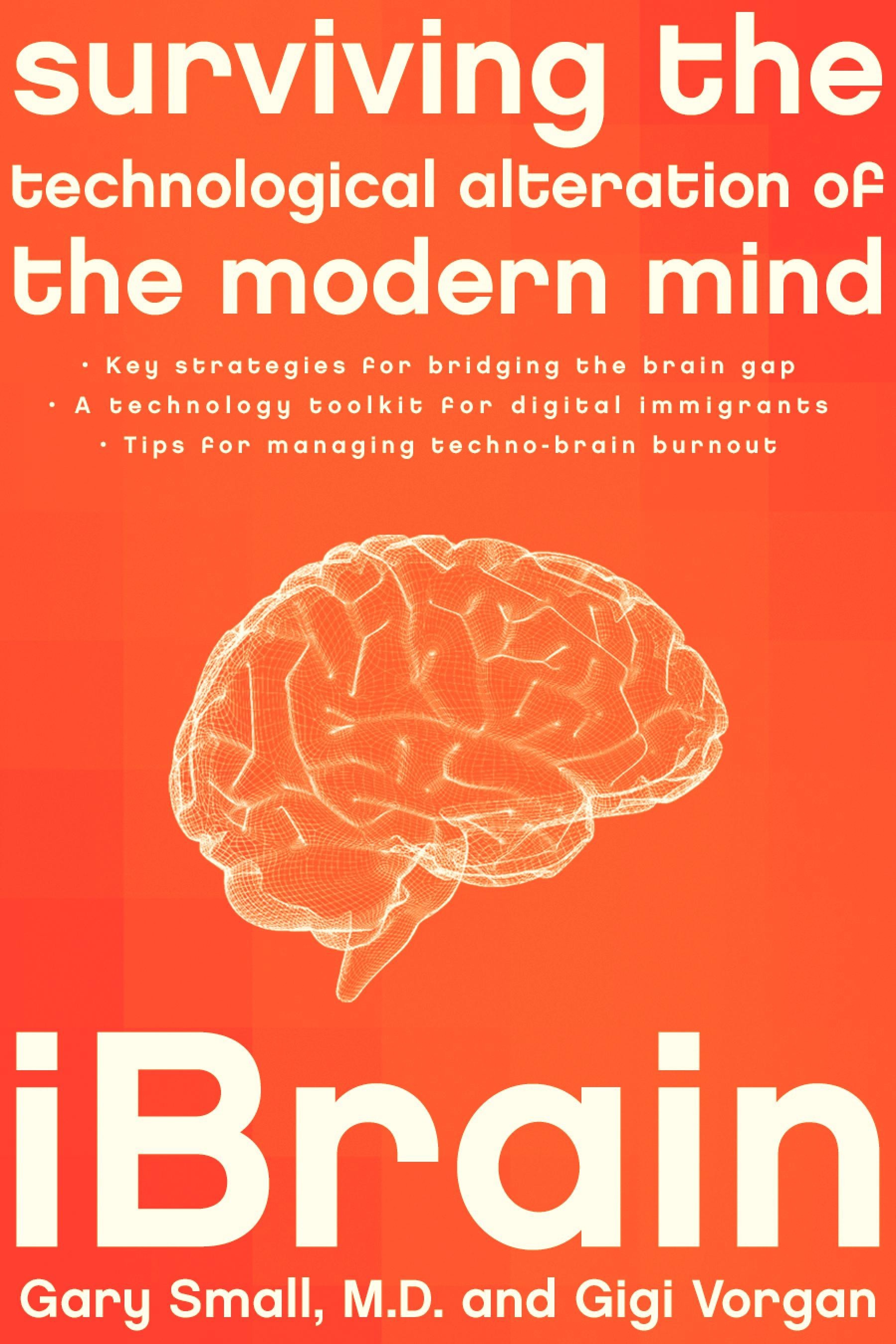
Co-Author of iBrain: Surviving the Technological Alteration of the Modern Mind
Keynote- iBrain Technological Alteration of the Student Mind
Learning and the Brain Conference
San Francisco, CA
February 17, 2011
Relationship with Technology:
When you turn it on, you feel connected and excited to find out what is going on. Now swap with a stranger. You are likely feeling anxious right now.
We need to find time to disconnect.
Network Organization - Specialized Brain
Perception of Image or sensation. Intense emotional reaction, connection or memory.
Our brains our very plastic. They are very much like a computer.Our brains have neural circuits/synapses that will strengthen as we use them.
Malleable Young Brains
When you are young, learning is fast (language and instruments)
Our brains adapt based on the environment we live in.
Is the environment really changing. Young people between age 8 and 18 total of how much tech time each day - 11.5 hours. A lot of this time is multi-tasking.
Digital Natives:
Born into technology.
24/7 use and access
Instant gratification - wants the newest technology as soon as it is developed.
More technology, less direct, face-to-face social interaction
Brains still developing
Empathy, complex reasoning skills
Technology and Addiction- When does it become a problem?
Email follows an exercise in operand conditioning. You keep checking and checking in order to get that one "happy face" email in amidst all the spam.
Does Technology Affect Face-to-Face Social Skills?
Study of 197 students, aged 17-23 years.
One study suggests that playing games, removes the ability to recognize face expression.
Everyone loves to be connected and kids who text feel the connection.
Learning to listen and maintain eye contact.
Usually the conversation is back and forth so it is hard for the listener not to respond.
Technology and Attention Deficit
Computer use is associated with ADHD in elementary school children. Some pediatricians have recommended that very young children not have access to technology.
Is Technology making us Less Productive? Search engines, social networking, etc.
Components of creativity:
Predictors of creativity
Tendency to be open to new ideas
Positive and a Negative
Pros:
improved reaction time
instantaneous access to information and communication
collaboration, online discussion
cons: disconnected and interact in person less
Learn technology later in life
older brains may be slower
resistance to innovation
Do you Remember?
Colour TV
first mobile phones
typewriters
Use of computer technology according to age:
Less than a third of 75 year olds use technology
Is Google Making us "Stoopid"?
Study comparing those over 60 who were Tech Savvy and those who had never searched online
When the Internet savvy people searched online, use all parts of their brain. Their brains are more active.
Healthy Lifestyle Strategies Associated with a Lower risk for Dementia
You can train the brain to remember things better using a healthy lifestyle program.
You see the big picture more quickly and have the ability to solve problems.
Look - SNAP - CONNECT
Activity observe what you want to learn, Take a mental picture of it and make a connection
Video - WHoDUNIT? Did you notice the 21 changes?
It is easy to miss details - you can train the brain to be more perceptive to remember things because you make visual connections to help us remember.
Technology can Train our Brains
-surgeons who play video games make fewer errors because you can develop better peripheral vision and better motor skills
The Future Brain
Computer Interface Technology
Thoughts will be wirelessly transmitted to other devices.
Is Search the end of Memory or is it the opportunity for Collective Wisdom?
Action items:
Reach consensus on nature and extent of problems
Be aware of multitasking and make time offline
Twitter: @DrGarySmall
www.DrGarySmall.com
www.aging.ucla.edu
iBrain: Surviving the technological alteration of the modern mind
Director, UCLA Center on Aging
Cornell Institute for Neuroscience and Human Behavior
Co-Author of iBrain: Surviving the Technological Alteration of the Modern Mind
Keynote- iBrain Technological Alteration of the Student Mind
Learning and the Brain Conference
San Francisco, CA
February 17, 2011
Relationship with Technology:
- It's Personal
- Let's do an experiment
- Turn on your cell phone
When you turn it on, you feel connected and excited to find out what is going on. Now swap with a stranger. You are likely feeling anxious right now.
We need to find time to disconnect.
Network Organization - Specialized Brain
Perception of Image or sensation. Intense emotional reaction, connection or memory.
Our brains our very plastic. They are very much like a computer.Our brains have neural circuits/synapses that will strengthen as we use them.
Malleable Young Brains
When you are young, learning is fast (language and instruments)
Our brains adapt based on the environment we live in.
Is the environment really changing. Young people between age 8 and 18 total of how much tech time each day - 11.5 hours. A lot of this time is multi-tasking.
Digital Natives:
Born into technology.
24/7 use and access
Instant gratification - wants the newest technology as soon as it is developed.
More technology, less direct, face-to-face social interaction
Brains still developing
Empathy, complex reasoning skills
Technology and Addiction- When does it become a problem?
Email follows an exercise in operand conditioning. You keep checking and checking in order to get that one "happy face" email in amidst all the spam.
Does Technology Affect Face-to-Face Social Skills?
Study of 197 students, aged 17-23 years.
One study suggests that playing games, removes the ability to recognize face expression.
Everyone loves to be connected and kids who text feel the connection.
Learning to listen and maintain eye contact.
Usually the conversation is back and forth so it is hard for the listener not to respond.
Technology and Attention Deficit
Computer use is associated with ADHD in elementary school children. Some pediatricians have recommended that very young children not have access to technology.
Is Technology making us Less Productive? Search engines, social networking, etc.
Components of creativity:
Predictors of creativity
Tendency to be open to new ideas
Positive and a Negative
Pros:
improved reaction time
instantaneous access to information and communication
collaboration, online discussion
cons: disconnected and interact in person less
Learn technology later in life
older brains may be slower
resistance to innovation
Do you Remember?
Colour TV
first mobile phones
typewriters
Use of computer technology according to age:
Less than a third of 75 year olds use technology
Is Google Making us "Stoopid"?
Study comparing those over 60 who were Tech Savvy and those who had never searched online
When the Internet savvy people searched online, use all parts of their brain. Their brains are more active.
Healthy Lifestyle Strategies Associated with a Lower risk for Dementia
You can train the brain to remember things better using a healthy lifestyle program.
You see the big picture more quickly and have the ability to solve problems.
Look - SNAP - CONNECT
Activity observe what you want to learn, Take a mental picture of it and make a connection
Video - WHoDUNIT? Did you notice the 21 changes?
It is easy to miss details - you can train the brain to be more perceptive to remember things because you make visual connections to help us remember.
Technology can Train our Brains
-surgeons who play video games make fewer errors because you can develop better peripheral vision and better motor skills
The Future Brain
Computer Interface Technology
Thoughts will be wirelessly transmitted to other devices.
Is Search the end of Memory or is it the opportunity for Collective Wisdom?
Action items:
Reach consensus on nature and extent of problems
Be aware of multitasking and make time offline
Twitter: @DrGarySmall
www.DrGarySmall.com
www.aging.ucla.edu
iBrain: Surviving the technological alteration of the modern mind
Thursday, January 27, 2011
Thought provoking video from New Brunswick
I came across this video thanks to a tweet from @Nunavut_Teacher tonight that included this list of "12 videos to spark educators' thinking". The post is located on a blog called Dangerously Irrelevant by Scott McLeod and contains an interesting list of videos. McLeod is the co-creator of the popular "Did You Know? Shift Happens" video that is now in its 4th edition. He and Karl Fisch definitely got everyone talking with their video a few years ago about reforms required in education to meet the needs of today's learners.
Most of the videos on this list I have seen before and highly recommend taking the time to watch them if you haven't seen them already and to share them with others.
One video in particular on this list I hadn't seen yet from the Government of New Brunswick. I think it would be a great conversation starter for any PLN or staff meeting. I hope that it is something that is shared across Canada in all provinces as we discuss education reforms.
Most of the videos on this list I have seen before and highly recommend taking the time to watch them if you haven't seen them already and to share them with others.
One video in particular on this list I hadn't seen yet from the Government of New Brunswick. I think it would be a great conversation starter for any PLN or staff meeting. I hope that it is something that is shared across Canada in all provinces as we discuss education reforms.
Thursday, January 20, 2011
Creating your own PLN - How can I become a better teacher?
I have spent a lot of time lately taking to fellow teachers about the power of creating your own Personal Learning Network (PLN) and the benefits of having an online PLN through Twitter. Thanks to Richard Byrne at Free Technology for Teachers, I have three embeded items to share with you to help you find other teachers to network with online. I hope you will consider adding me to your PLN when you get started @bobiashj. What are you waiting for?? No time like the present to get started. Don't forget to download Tweetdeck to help manage your tweets. To help you find conversations you might like to follow and contribute to, don't forget to add columns with hashtags (the word with a # sign in front). Here's a list to help you find some topics of interest (List of hashtags from HP Teacher Exchange).
A PLN is a great way to share resources, ask for help or celebrate accompishments. Here are a few things to help you geet started. Thanks Richard Byrne!
Presentation to DMTH Class at the University of Regina
Today, I was invited as a special guest to make a presentaion about the integration of technology into the teaching of Math. Here is my presentation that I made (in French) to the 3rd year undergrad students in DMTH class at the University of Regina. Hopefully the students found it useful and discovered some new tools or ideas to add to their tool kits.
The links for this presentation are located here: http://fur.ly/4dog
Here are the slides from my presentation:
Here is the poll we started out the presentation with:
Please leave a comment with your ideas, tools or resources for integrating technology into math instruction.
The links for this presentation are located here: http://fur.ly/4dog
Here are the slides from my presentation:
Here is the poll we started out the presentation with:
Create interactive meetings at Poll Everywhere
Please leave a comment with your ideas, tools or resources for integrating technology into math instruction.
Monday, January 17, 2011
iPod Touch and iPads in the Classroom - List of Resources and Ideas - Part 2
It has been almost a year since I have had these powerful devices in my classroom and boy has life changed for all of us. Here's an update to my previous post about iPods in the classroom.
I should also add that I purchased an iPad in June and it has really influenced how I interact with my iPods. I now have a control centre for running all of the apps my students have on their iPods, but with a bigger screen. Much easier to show groups of students how to use an app as everyone in the group can see it in action. I even use an app called Planbook to access my lesson plans. I simply sync it using my Dropbox from the fabulous desktop program I was already using on my Mac to the app on my iPad. Genius! It has increased my productivity immensely.
I am a fan of Google Apps and use the Google Mobile app to access my docs, forms and presentations. My students all have Google accounts through Google Apps for education and we have essentially eliminated the need to print in my classroom. I get instant feedback or collect assignments from my students using Google Forms that they can complete on the iPods.
I discoverred that I can use my iPods as clickers using the eClicker Host on my iPad and eClicker on their iPods. They work like the SMART Response system you can purchase for your classroom, but instead of purchasing and storing more devices, you are using tools you already have in your classroom. I make up quizzes or feedback forms online before class and then activate them during class. I can check for understanding and get feedback during instruction or have students complete quick quizzes to see what they already know before starting new concepts.
A must have for any set of class iPods are little microphones that plug into the headphone jack of the iPod. You can find them for next to nothing on Amazon for about $2.00.
We have used them for voice recording in a number of different ways. From recording the Grade 1 and 2 students reading their books to practice fluency, to Grade 6, 7 and 8 students recording podcasts, conducting interviews and creating videos, these little microphones are an invaluable tool when paired with the iPod Touch. The best app I have found for voice recording and being able to use the audio elsewhere is called iPro Recorder because you can download the recording over a wireless network onto a computer and re-edit it in a program like Garage Band or Audacity. I found that Audioboo is a great site to host podcasts and share them with others. You can also easily embed them on your blog, wiki or website.
After watching Tony Vincent's Learning in Hand video on the K12 Online Conference, I had my Grade 8 students used Sonic Pics to create videos to introduce their team's position for the debate they held about the sale of Canadian water to the US. Using screen shots of photos they located from websites I had linked on our class website, they edited and narrated short videos. They also used PS Express, Comic Touch and Doodle Buddy to re-work their images to fit their argument. (You can watch the final product of their videos by following this link.) I also used Sonic Pics to create "how-to" instructional videos using screen shots from my iPod to explain how to use the apps for this project. They were referred to often by the students during the project.
One project I would like to try before the end of the year is an iPod/iPad band or musical performance after being inspired by the North Point iBand. I saw their video over the holidays and I have started downloading instrument apps and will share what works best once we've successfully set-up our "band".
Some of the other resources I have come across since my last post that you might find useful are:
- Apptivities - A great website with reviews and activity ideas for the use of apps by educators organized by grade level.
- Math Apps - Top 10 Apps to use in Math class on the iPod Touch.
- Apps for Educators - Top 200 iPad Apps in the United States for Educators
- Digital Storytelling with the iPad
- 38 Interesting ways to use the iPad in the Classroom
- 28 Interesting ways to use the iPod Touch in the Classroom
- iPods, iPhones and iPads in Education
- Teach with your iPad
- The Best iPhone apps for Kids, 2010
- 50 Must Have Educational Apps
- iPod and iPad Usergroup Wiki
Sunday, January 16, 2011
Twitter Explained
Here are two good short videos that explain what Twitter is and why you may want to consider joining. Most of my colleagues don't understand why I spend time on this network. I find it to be some of the best PD I could ever have. The network I have built up these past few years is invaluable and I have become a much better educator because of the dialogue and the sharing I have experienced on Twitter.
Sunday, December 26, 2010
TEDxSaskatoon
I can't think of a better way to spend my Sunday evening on the day after Christmas (aka Boxing Day here in Canada) then watching TED videos on my new laptop. Lucky for me, all the videos from TEDxSakatoon (held November 13, 2010) have been uploaded to You Tube so I had a lot of great presentations to watch. Hopefully I will be able to go to a TED event sometime in the future. I sure wish I had been able to go to this one. Here's a playlist of all of the TEDxSaskatoon presentations for your viewing pleasure:
Tuesday, December 14, 2010
Project Based Learning Explained - Common Craft Style
I couldn't resist sharing this video. I love the Common Craft Style video and use them often in my classes. Here's a new one from the Buck Institute for Education that does a great job explaining the concept of Project Based Learning.
A new way to get your news
I've been noticing on Twitter that people are posting "their daily news" using a site called paper.li. I decided to try it out and discovered a new way to read the news coming through in my Twitter feed. You can also set up your own "paper" based on a search for a topic or to follow a group. This "paper" can also be set up to read your Facebook feed as well. I know that it won't replace my Tweetdeck, but I thought it was an interesting way to read what is going on today in your network.
Here is what my personal "paper" looks like based on my Twitter account:
Monday, December 13, 2010
Here's a great e-book for educators to check out when wanting to learn more about how to use technology in the classroom. A great place to start if you are just beginning to integrate technology or a great refresher for those who are more advanced.
Thank you to all of the contributors who made this book possible and to Steven Anderson for hosting it on his blog: Web 2.0 Classroom.
Super Book Of Web Tools For Educators -
Thank you to all of the contributors who made this book possible and to Steven Anderson for hosting it on his blog: Web 2.0 Classroom.
Super Book Of Web Tools For Educators -
Saturday, November 27, 2010
RSA Animates Changing Education Paradigms
I wish I could animate my lessons like this. A great message from Sir Ken Robinson illustrated by RSA Animate.
Sunday, November 14, 2010
Cell Phones in the Classroom? The Classic 21st Century Debate
| Photo: Dru Bloomfield, Flickr |
At my school, cellphones are turned in by our senior (Grade 6-8) students every morning to the office and picked up at the end of the day. This practice was put into place when students were caught texting inappropriate messages to each other and also phoning parents without the teacher's knowledge. This in turn caused a problem when a student was being picked up at recess by their parent (without informing the office or the teacher) and the student then being thought of as missing. This extreme case might make one question the need to collect all the phones on an on-going basis, but the measure was put into place to prevent future problems.
I would be interested in finding out more about how these devices are used "for good" in schools. Do educators use sites like Poll Everywhere and Wiffiti to gauge student interest or to get feedback on lessons? Do you let students phone into their online persona such as a Voki to leave feedback or leave thoughts. How can these powerful devices be used effectively in education?
I was busy marking and doing other report card related tasks Saturday morning, and missed the Classroom 2.0 live session. Thanks to my PLN on Twitter, Lisa Nielsen, the Innovative Educator's blog was shared with me. (Thanks @parentella for the link.) On her blog, I found an interesting article from November 3, 2010 about the use of cell phones in the classroom that was co-written using Google Docs by George Engel, Rob Griffith, Scott Newcomb, Lisa Nielsen, Jason Sutter and Willyn Webb. In their article "10 Proven Strategies to Break the Ban and Build Opportunities for Student Learning with Cell Phones", a comprehensive guide is shared outlining the steps to use cellular devices in the classroom. I also appreciate the number of research articles that this group has shared in their article and will be checking out their list. If you are interested in the use of these devices in your classroom, you should check it out.
Saturday, November 13, 2010
K-12 Online Conference 2010
This year, I was busy juggling too many projects at work and home to attend the wonderful K-12 Online conference live. As I received emails and tweets during the conference, I saved them for a time when I could spend time watching, learning from and thinking about the many ideas shared by the many presenters at this year's conference. If you use iTunes, you are able to look at the sessions as podcasts, which I find quite handy, given my new love for the iPad. There are far too many wonderful presentations to mention. Check out the speaker list and schedule here and discover for yourself the numerous learning opportunities this online conference has to offer.
Here are a few that I found interesting:
Presenter of interest #1: Pre-conference keynote: Dean Shareski, The Moral Imperative
Shareski questions and presents the need as educators to share. Isn't that the moral foundation of being a teacher? He questions: Is sharing an obligation? Does my institution see the value in sharing? How will it help my students? After watching this video, I would like to know what you think. Obviously, if you are a reader of my blog, you will see that I am a very open educator who likes to share what I know and learn with others and provide as many opportunities for my students to do the same. This opportunity to make learning real and connected has made learning authentic for my students. I would love to know the opinions of others on the importance of sharing in education.
Cool tools I learned about in Dean's video that I need to check out were how to use my iPad as a teleprompter using iPrompt Pro and the around the neck microphone.
Presenter of interest #2: Tony Vincent, Project Based Learning in Hand
This video was very inspiring to me. As a user of the ipod touch in my classroom and a frequent creator of authentic project based learning opportunities for my students, I couldn't help but be inspired by Tony's presentation. He managed to bring two topics together that I'm passionate about and inspire me to pursue new ways to use these devices with my students this year. This is a must see:
Presenter of interest #3: Britt Gow, Teaching Science to 21st Century Learners
As a Science Teacher to students in Grades 6-8, I'm always looking for new ways to incorporate technology into the classroom. In her video, Britt showcases how she integrates Web 2.0 tools into her lessons and includes student perspectives on the use of these tools.
There are many other speakers and topics to explore in the K-12 Online Conference. Check it out! I know you won't be disappointed.
Here are a few that I found interesting:
Presenter of interest #1: Pre-conference keynote: Dean Shareski, The Moral Imperative
Shareski questions and presents the need as educators to share. Isn't that the moral foundation of being a teacher? He questions: Is sharing an obligation? Does my institution see the value in sharing? How will it help my students? After watching this video, I would like to know what you think. Obviously, if you are a reader of my blog, you will see that I am a very open educator who likes to share what I know and learn with others and provide as many opportunities for my students to do the same. This opportunity to make learning real and connected has made learning authentic for my students. I would love to know the opinions of others on the importance of sharing in education.
Cool tools I learned about in Dean's video that I need to check out were how to use my iPad as a teleprompter using iPrompt Pro and the around the neck microphone.
Presenter of interest #2: Tony Vincent, Project Based Learning in Hand
This video was very inspiring to me. As a user of the ipod touch in my classroom and a frequent creator of authentic project based learning opportunities for my students, I couldn't help but be inspired by Tony's presentation. He managed to bring two topics together that I'm passionate about and inspire me to pursue new ways to use these devices with my students this year. This is a must see:
Presenter of interest #3: Britt Gow, Teaching Science to 21st Century Learners
As a Science Teacher to students in Grades 6-8, I'm always looking for new ways to incorporate technology into the classroom. In her video, Britt showcases how she integrates Web 2.0 tools into her lessons and includes student perspectives on the use of these tools.
There are many other speakers and topics to explore in the K-12 Online Conference. Check it out! I know you won't be disappointed.
Friday, November 12, 2010
Some Reading and Viewing to add to your To Do List
I have had these tabs open in my Firefox for awhile (actually since the summer - yikes!) and have been meaning to post them on my blog for others to check out. Here are some interesting blogs and videos to check out when you have a spare moment. If you have others to share, please do!! Post your links in my comments.
8 Must Read Ed Tech Posts from SimpleK12:
- Elizabeth talks about Jing, PLN's, Classroom Blogs, Firefox, Evernote, Empowering Students, Learning Styles and Online Communities. What more could you want?? Take a minute to check out her list.
- I love TED videos. I could watch them all day if I had the time. Here are a few any educator can appreciate. Maybe you will be inspired too. This list was generated by the blog Parentella. If you have other suggestions or ideas for a Top 10 TED video list for educators, please comment. Maybe we can make our own list!
- Some of these videos I've posted about before but I had to include this in my list of things to watch when you have time. Richard Byrne has done a great job compiling videos that I've seen in different venues or on different blogs around the web. Here they all are in a handy collection. Do you have one you would like to add to the mix?
Subscribe to:
Posts (Atom)