I came across this video thanks to a tweet from @Nunavut_Teacher tonight that included this list of "12 videos to spark educators' thinking". The post is located on a blog called Dangerously Irrelevant by Scott McLeod and contains an interesting list of videos. McLeod is the co-creator of the popular "Did You Know? Shift Happens" video that is now in its 4th edition. He and Karl Fisch definitely got everyone talking with their video a few years ago about reforms required in education to meet the needs of today's learners.
Most of the videos on this list I have seen before and highly recommend taking the time to watch them if you haven't seen them already and to share them with others.
One video in particular on this list I hadn't seen yet from the Government of New Brunswick. I think it would be a great conversation starter for any PLN or staff meeting. I hope that it is something that is shared across Canada in all provinces as we discuss education reforms.
I have spent a lot of time lately taking to fellow teachers about the power of creating your own Personal Learning Network (PLN) and the benefits of having an online PLN through Twitter. Thanks to Richard Byrne at Free Technology for Teachers, I have three embeded items to share with you to help you find other teachers to network with online. I hope you will consider adding me to your PLN when you get started @bobiashj. What are you waiting for?? No time like the present to get started. Don't forget to download Tweetdeck to help manage your tweets. To help you find conversations you might like to follow and contribute to, don't forget to add columns with hashtags (the word with a # sign in front). Here's a list to help you find some topics of interest (List of hashtags from HP Teacher Exchange).
A PLN is a great way to share resources, ask for help or celebrate accompishments. Here are a few things to help you geet started. Thanks Richard Byrne!
Today, I was invited as a special guest to make a presentaion about the integration of technology into the teaching of Math. Here is my presentation that I made (in French) to the 3rd year undergrad students in DMTH class at the University of Regina. Hopefully the students found it useful and discovered some new tools or ideas to add to their tool kits.
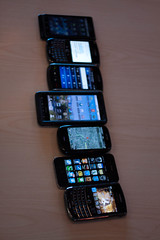
I should also add that I purchased an iPad in June and it has really influenced how I interact with my iPods. I now have a control centre for running all of the apps my students have on their iPods, but with a bigger screen. Much easier to show groups of students how to use an app as everyone in the group can see it in action. I even use an app called Planbook to access my lesson plans. I simply sync it using my Dropbox from the fabulous desktop program I was already using on my Mac to the app on my iPad. Genius! It has increased my productivity immensely.
I am a fan of Google Apps and use the Google Mobile app to access my docs, forms and presentations. My students all have Google accounts through Google Apps for education and we have essentially eliminated the need to print in my classroom. I get instant feedback or collect assignments from my students using Google Forms that they can complete on the iPods.
I discoverred that I can use my iPods as clickers using the eClicker Host on my iPad and eClicker on their iPods. They work like the SMART Response system you can purchase for your classroom, but instead of purchasing and storing more devices, you are using tools you already have in your classroom. I make up quizzes or feedback forms online before class and then activate them during class. I can check for understanding and get feedback during instruction or have students complete quick quizzes to see what they already know before starting new concepts.
A must have for any set of class iPods are little microphones that plug into the headphone jack of the iPod. You can find them for next to nothing on Amazon for about $2.00.
We have used them for voice recording in a number of different ways. From recording the Grade 1 and 2 students reading their books to practice fluency, to Grade 6, 7 and 8 students recording podcasts, conducting interviews and creating videos, these little microphones are an invaluable tool when paired with the iPod Touch. The best app I have found for voice recording and being able to use the audio elsewhere is called iPro Recorder because you can download the recording over a wireless network onto a computer and re-edit it in a program like Garage Band or Audacity. I found that Audioboo is a great site to host podcasts and share them with others. You can also easily embed them on your blog, wiki or website.
After watching Tony Vincent's Learning in Hand video on the K12 Online Conference, I had my Grade 8 students used Sonic Pics to create videos to introduce their team's position for the debate they held about the sale of Canadian water to the US. Using screen shots of photos they located from websites I had linked on our class website, they edited and narrated short videos. They also used PS Express, Comic Touch and Doodle Buddy to re-work their images to fit their argument. (You can watch the final product of their videos by following this link.) I also used Sonic Pics to create "how-to" instructional videos using screen shots from my iPod to explain how to use the apps for this project. They were referred to often by the students during the project.
One project I would like to try before the end of the year is an iPod/iPad band or musical performance after being inspired by the North Point iBand. I saw their video over the holidays and I have started downloading instrument apps and will share what works best once we've successfully set-up our "band".
Some of the other resources I have come across since my last post that you might find useful are:
Apptivities - A great website with reviews and activity ideas for the use of apps by educators organized by grade level.
Math Apps - Top 10 Apps to use in Math class on the iPod Touch.
Apps for Educators - Top 200 iPad Apps in the United States for Educators
Please leave a comment with your favourite resource, website or story about how you are using these devices in education. I would love to hear from you!
Here are two good short videos that explain what Twitter is and why you may want to consider joining. Most of my colleagues don't understand why I spend time on this network. I find it to be some of the best PD I could ever have. The network I have built up these past few years is invaluable and I have become a much better educator because of the dialogue and the sharing I have experienced on Twitter.
I can't think of a better way to spend my Sunday evening on the day after Christmas (aka Boxing Day here in Canada) then watching TED videos on my new laptop. Lucky for me, all the videos from TEDxSakatoon (held November 13, 2010) have been uploaded to You Tube so I had a lot of great presentations to watch. Hopefully I will be able to go to a TED event sometime in the future. I sure wish I had been able to go to this one. Here's a playlist of all of the TEDxSaskatoon presentations for your viewing pleasure:
I couldn't resist sharing this video. I love the Common Craft Style video and use them often in my classes. Here's a new one from the Buck Institute for Education that does a great job explaining the concept of Project Based Learning.
I've been noticing on Twitter that people are posting "their daily news" using a site called paper.li. I decided to try it out and discovered a new way to read the news coming through in my Twitter feed. You can also set up your own "paper" based on a search for a topic or to follow a group. This "paper" can also be set up to read your Facebook feed as well. I know that it won't replace my Tweetdeck, but I thought it was an interesting way to read what is going on today in your network.
Here's a great e-book for educators to check out when wanting to learn more about how to use technology in the classroom. A great place to start if you are just beginning to integrate technology or a great refresher for those who are more advanced.
Thank you to all of the contributors who made this book possible and to Steven Anderson for hosting it on his blog: Web 2.0 Classroom.
How do you feel about the use of cellphones in the classroom? Should these devices be banned? How can they be effectively used in education? In the ever-evolving world of technology and its place in the classroom, this debate is still quite heated.
At my school, cellphones are turned in by our senior (Grade 6-8) students every morning to the office and picked up at the end of the day. This practice was put into place when students were caught texting inappropriate messages to each other and also phoning parents without the teacher's knowledge. This in turn caused a problem when a student was being picked up at recess by their parent (without informing the office or the teacher) and the student then being thought of as missing. This extreme case might make one question the need to collect all the phones on an on-going basis, but the measure was put into place to prevent future problems.
I would be interested in finding out more about how these devices are used "for good" in schools. Do educators use sites like Poll Everywhere and Wiffiti to gauge student interest or to get feedback on lessons? Do you let students phone into their online persona such as a Voki to leave feedback or leave thoughts. How can these powerful devices be used effectively in education?
I was busy marking and doing other report card related tasks Saturday morning, and missed the Classroom 2.0 live session. Thanks to my PLN on Twitter, Lisa Nielsen, the Innovative Educator's blog was shared with me. (Thanks @parentella for the link.) On her blog, I found an interesting article from November 3, 2010 about the use of cell phones in the classroom that was co-written using Google Docs by George Engel, Rob Griffith, Scott Newcomb, Lisa Nielsen, Jason Sutter and Willyn Webb. In their article "10 Proven Strategies to Break the Ban and Build Opportunities for Student Learning with Cell Phones", a comprehensive guide is shared outlining the steps to use cellular devices in the classroom. I also appreciate the number of research articles that this group has shared in their article and will be checking out their list. If you are interested in the use of these devices in your classroom, you should check it out.
This year, I was busy juggling too many projects at work and home to attend the wonderful K-12 Online conference live. As I received emails and tweets during the conference, I saved them for a time when I could spend time watching, learning from and thinking about the many ideas shared by the many presenters at this year's conference. If you use iTunes, you are able to look at the sessions as podcasts, which I find quite handy, given my new love for the iPad. There are far too many wonderful presentations to mention. Check out the speaker list and schedule here and discover for yourself the numerous learning opportunities this online conference has to offer.
Here are a few that I found interesting:
Presenter of interest #1: Pre-conference keynote: Dean Shareski, The Moral Imperative
Shareski questions and presents the need as educators to share. Isn't that the moral foundation of being a teacher? He questions: Is sharing an obligation? Does my institution see the value in sharing? How will it help my students? After watching this video, I would like to know what you think. Obviously, if you are a reader of my blog, you will see that I am a very open educator who likes to share what I know and learn with others and provide as many opportunities for my students to do the same. This opportunity to make learning real and connected has made learning authentic for my students. I would love to know the opinions of others on the importance of sharing in education.
Cool tools I learned about in Dean's video that I need to check out were how to use my iPad as a teleprompter using iPrompt Pro and the around the neck microphone.
Presenter of interest #2: Tony Vincent, Project Based Learning in Hand
This video was very inspiring to me. As a user of the ipod touch in my classroom and a frequent creator of authentic project based learning opportunities for my students, I couldn't help but be inspired by Tony's presentation. He managed to bring two topics together that I'm passionate about and inspire me to pursue new ways to use these devices with my students this year. This is a must see:
Presenter of interest #3: Britt Gow, Teaching Science to 21st Century Learners
As a Science Teacher to students in Grades 6-8, I'm always looking for new ways to incorporate technology into the classroom. In her video, Britt showcases how she integrates Web 2.0 tools into her lessons and includes student perspectives on the use of these tools.
There are many other speakers and topics to explore in the K-12 Online Conference. Check it out! I know you won't be disappointed.
I have had these tabs open in my Firefox for awhile (actually since the summer - yikes!) and have been meaning to post them on my blog for others to check out. Here are some interesting blogs and videos to check out when you have a spare moment. If you have others to share, please do!! Post your links in my comments.
Elizabeth talks about Jing, PLN's, Classroom Blogs, Firefox, Evernote, Empowering Students, Learning Styles and Online Communities. What more could you want?? Take a minute to check out her list.
I love TED videos. I could watch them all day if I had the time. Here are a few any educator can appreciate. Maybe you will be inspired too. This list was generated by the blog Parentella. If you have other suggestions or ideas for a Top 10 TED video list for educators, please comment. Maybe we can make our own list!
Some of these videos I've posted about before but I had to include this in my list of things to watch when you have time. Richard Byrne has done a great job compiling videos that I've seen in different venues or on different blogs around the web. Here they all are in a handy collection. Do you have one you would like to add to the mix?
Inquiry is a lot more than assigning a topic. If students are engaged in their inquiry, they will construct knowledge for deeper understanding. They are involved in the discovery of new knowledge and encounter differing ideas. They will also transfer new knowledge and skills to new circumstances. (Saskatchewan Curriculum)
The metacognative piece also needs to be added so that students understand that they are learning to be better learners. The collaborative piece and the power or potential needs to be added as well.
The new school year has begun. Students have been back at school for two weeks now and Teachers for a few more days than that. This year is a new adventure for me as my role in my school has been redesigned. I'm now serving as half-time Teacher Librarian and half-time Social Studies and Science Teacher for 6/7/8. I'm thankful to still be in charge of my inquiry studio where I deliver my classes for Social Studies and Science. I'm hoping that my new role will compliment my teaching and give me more opportunities to work and share with other colleagues.
Although my role has changed, my interest and passion for integrating technology into my teaching has not. This week, my library will open up to students for the first time to do book exchanges. Instead of preparing a formal presentation on the dos and don'ts of the library, I made an orientation video. I was fortunate enough to work with a fellow teacher librarian, Terry Pon, five years ago on an orientation video for his library at the time. I revamped some of his video and made it current for my students and situation. (Thank you for the footage Terry!) Now that we are a French Immersion Centre, I had to make the video in French. I still need to find some copyright free music to re-edit the music track, but I will post if for now and replace it when I have a final version. I hope you enjoy the draft version of my video. Welcome to the Resource Centre at École Wilfrid Walker School.
There is a lot of chatter and sharing on Twitter right now about how to use this social media in education. I have noticed a number of lists of ways to use it in the classroom being shared on Twitter so I thought that I would share a few of them here with my readers. Some links and ideas are better than others but you may find some of these ideas useful:
Twittercure - Kathy Schrock's Presentation at ISTE 2010 on Twitter
I had a great comment left on my blog tonight by Marshall who gave me a link to his recent post on iPod Touch apps for use in a Science inquiry classroom. The list is very well done and Marshall did a very good job evaluating these apps and providing his recommendations. I just had to share: http://getrealscience.com/marshallh/?p=47
"After many years in the New York City area as a science teacher and Director of Instructional and Informational Technology, Piontek is now "Head of School" at the Hawaii Technology Academy (HTA). A unique state charter school, HTA has been transforming public education through a hybrid model of individualized learning that combines classroom and virtual learning across the islands of Oahu, Kauai, Maui, the Big Island, Lanai, and Molokai. The school performed at the top of Hawaiian public schools its first year, and doubled its enrollment to 500 students by its second year"
The theme of his keynote was: Global Learners = Global Leaders and he began his presentation with a video about his school in Hawaii that was created by some of the students at his school. It was fantastic! Here is the longer version of the video that was shown:
Pionteck's keynote was everything a keynote should be and more. It is no wonder he was chosen through a "crowd source" type selection process by ISTE members to be the keynote. He was visionary and thoughtful and had an inspiring delivery. He was a great wind up speaker for ISTE 2010 as his message summarized the themes and messages I had heard throughout the workshops and keynotes I had already enjoyed these past few days.
Here are a few of my notes from what Pionteck said during his keynote address:
Change over the last 25 years will appear slow, compared to the next 25 years.25 Years form Now: What will be emerging?
Social networking and mobile devices are what students are using today to connect. How many of us can use these tools in our classrooms?
"Today's students are no longer the people our educational system was designed to teach." -Prensky, 2001.
A standardized test is a snapshot of the day the student wrote the test, when in reality, it follows them around for a whole year.
S.T.E.M.: (Science, Technology, Engineering, Mathematics) S.T.E.M. needs to integrate into classrooms around the world. Classrooms need to get reorganized to make learning social.
S.T.E.A.M. is the new STEM - (Science, Technology, Engineering, Arts, Mathematics) Arts is important to teach creativity and innovation that drives the other parts of education. It helps us find our passion.
Networking of this conference is important. It is essential to keep in touch with those who you met this week at ISTE. You are now educational technology leaders in your schools.
It is not important what you look like or what you are wearing, but how you are engaging your students in your students.
What is your Passion? What drives you? What do you want for your future? What do your kids want for the future?
People under 20 are living a digitized world. Have your students create a blog or a wiki about their passion.
All children should have a chance to give it a GO. After Grade 3, students are no longer given the chance to give it a go. To learn from their mistakes and to be creative and explore life.
All children should have access to technology and the internet.
...it's innovation ... it's creativity
There's no longer an excuse not know how. Students today need to know how to use the tools to find the answer. Eventually they will find what they are looking for. Students need to be culturally aware and remembering where they came from and where they are going.
What do you consider excellence yourself? When people know that you really care about, they will come and do whatever they can to help you.
It is time for a revolution in education. We need to give our students the tools they need to learn 21st century skills.
Another great video made by the students in his school about exploring excellence. Fantastic!
If you start a project with your students, finish it. Start something small, something you know you can complete. Take an idea that you saw this week and run with it.
Have students take the information, immerse themselves in it and then create something with that material.
Blue Mars - program to use to create videos.
Final thought: It's a challenge- Our job is to nourish the dreams of our children - to make them all that they can be. Those dreams are our future.
Thanks for a great keynote to wind up another fabulous ISTE! I have a lot to digest this summer as I review my many notes and continue discussions with my PLN. Thanks to everyone for making this a fantastic learning opportunity for all!
I have had the pleasure of getting to know Dean over the past few years by attending his workshops in person and following his contributions to learning online through his blog and on Twitter. His work has inspired me to open up my classroom and network with others by Blogging and Twittering. He also sparked my passion for digital storytelling and I have created many "stories" since I took his workshop many years ago, one summer in Moose Jaw. Thanks for your work and your willingness to "share"ski, Dean! I look forward to learning more from you in the future.
Google voice - you get a google phone number that you can then attach to the number. You can then ask it to call certain number at home, office or cell depending on what number you want them to call you at.
http://www.tripit.com/ simply send your travel info to the website and put it together for you that you access it on your phone
Twitter.com - take a free twitter account and use goodies, then widgets to run an rss feed on Twitter to your home page
Tweetdeck - allows you to control multiple account
Remember the milk (rememberthemilk.com) allows you to organize your to-do list
Evernote.com - use to take notes and then synchronize between all of you devices. You can even do text recognition
Etherpad/ typewith.me - live session you can play back
http://www.zamzar.com/ - simply send the zamzar account to submit a file or URL that you can have converted and then downloaded
Ustream.tv - allows you to set up a free account and post videos live as they happen